
Here are some of my latest thoughts on org… 

Articles on this page
- Musa Al-hassy's Personal Glossary
- Powering-up Special Blocks: EmacsConf 2020 slides
- org-special-block-extras: Make your own blocks and links
- org-special-block-extras: The block and link types
- org-special-block-extras: Write Once, Export Everywhere
- Holy Books: Quran & Bible look-ups in Org-mode
- AlBasmala:
Blogging with Emacs & Org-mode (•̀ᴗ•́)و
Musa Al-hassy's Personal Glossary



Powering-up Special Blocks: EmacsConf 2020 slides



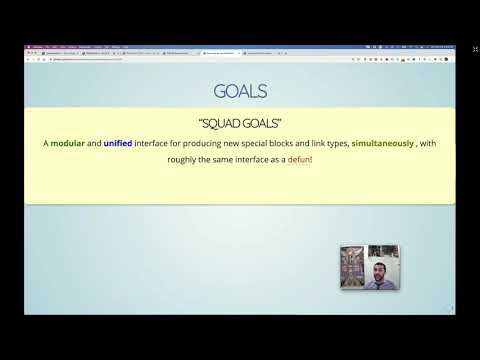
org-special-block-extras: Make your own blocks and links

Every block and link above is made with the very tools below, so a new one of our own is a
defun away.
org-special-block-extras: The block and link types
﴾What You Write﴿
It can be useful to draw attention to some important text by
enclosing it in a [[doc:org-block/box][box]].

#+begin_box Uses of callout boxes
Such boxes often callout tips, warnings, cautionary info or
emphasises core information.
#+end_box
﴾What You Get﴿
It can be useful to draw attention to some important text by
enclosing it in a boxEnclose text in a box, possibly with a TITLE.
By default, the box’s BACKGROUND-COLOR is green for HTML and red for LaTeX;
for LaTeX, there are also FRAME-COLOR and TITLE-BACKGROUND-COLOR.
SHADOW is an alternate style of boxing: It shows the contents in a centred
box with a shadow colour being the given non-nil value of SHADOW.
If SHADOW is a hexadecimal colour, it should be a string enclosed in double quotes.
More accurately, the following are all valid uses:
#+begin_box title :shadow t
#+begin_box title :shadow inset
#+begin_box title :shadow "pink"
#+begin_box title :shadow pink
#+begin_box title :shadow (cyan pink orange yellow)
#+begin_box title :shadow (cyan "inset pink" orange)
#+begin_box title :shadow (:left cyan :right pink :deep-right orange :deep-left yellow)
Notice that prefixing colours with ‘inset’ causes the colour to be within the box,
rather than spread, with blur, around the box. The use of ‘inset’ swaps left and right.
The HTML export uses a padded div, whereas the LaTeX export
requires the tcolorbox package; Markdown, sans colours, gets a quote opening with TITLE in bold.
Regarding the Lisp function:
+ BACKEND refers to the current export backend.
+ RAW-CONTENTS refers to the text as the user wrote it, sans its least indentation.
⇒ You may mention CONTENTS to refer to the ‘org parsed’ version of user text.
⇒ CONTENTS and RAW-CONTENTS are identical whenever key CONTENTS-OCCUR-AS-LINK-DESCRIPTION is non-nil.
For example, upon LaTeX export, the Org special block
#+begin_box
Hello, world
#+end_box
is rewritten to the result of the call
(org-block/box ‘latex "Hello, world").
Uses of callout boxes
Such boxes often callout tips, warnings, cautionary info or emphasises core information.
﴾How It’s Implemented﴿
org-special-block-extras: Write Once, Export Everywhere

Holy Books: Quran & Bible look-ups in Org-mode
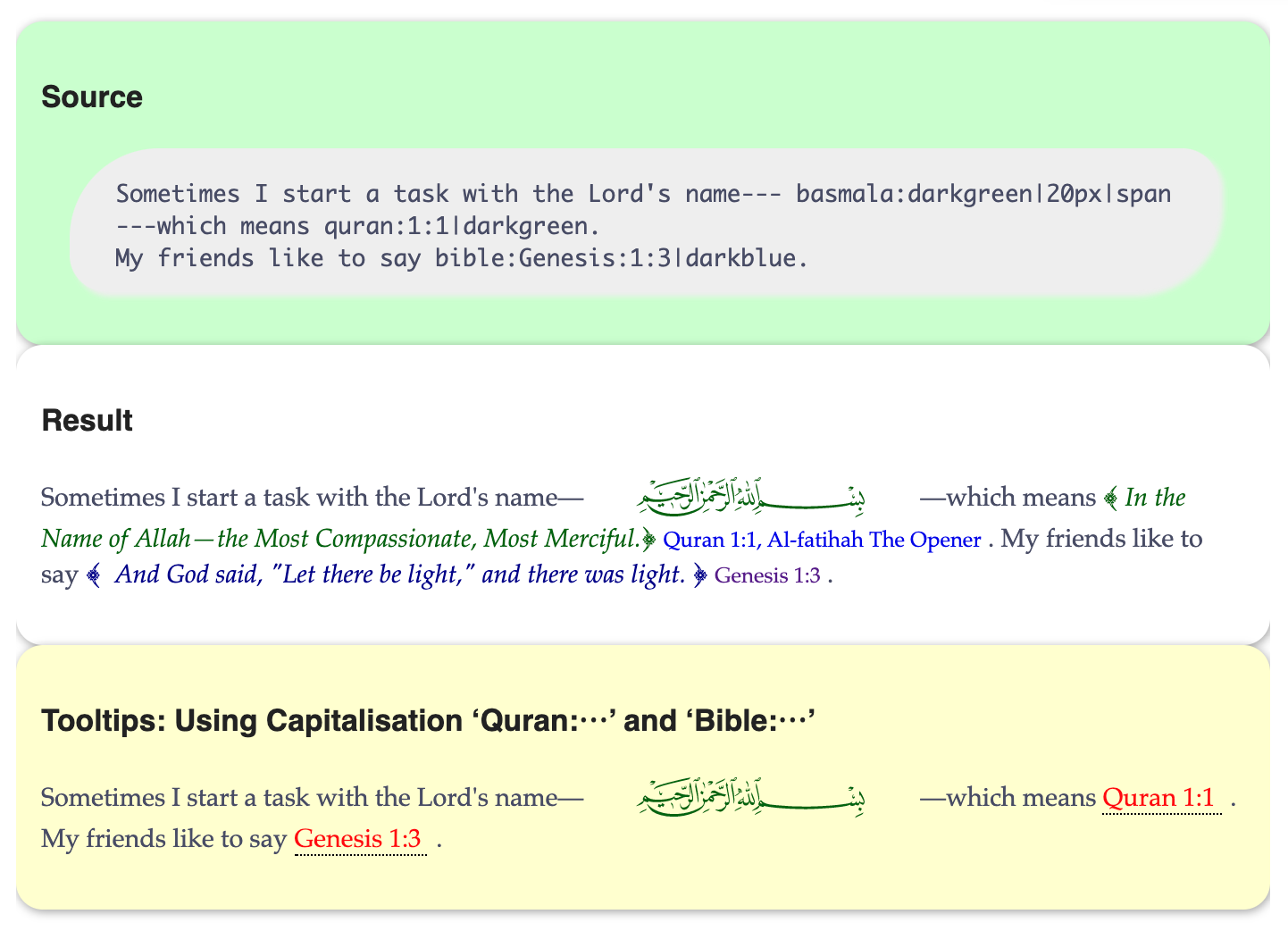
Org-mode links like quran:1:1 and bible:John:3:16 fetch and inline their verses upon export, with tooltips in Emacs and Lisp look-ups to boot.
AlBasmala:
Blogging with Emacs & Org-mode (•̀ᴗ•́)و



How my blog is setup (•̀ᴗ•́)و
Here are some notable features of my blog.
- Org-mode, a rich markup, to write articles ♥‿♥
- Tags and per-tag RSS feeds —§RSS feeds
- A nice blog banner —§https://alhassy.com/AlBasmala#blog-banner
- Dynamically highlighting code from references in prose —§https://alhassy.com/AlBasmala#blog-banner
- Tooltips, folded regions, and badges ---
- Overall nice looking HTML style ---org-notes-style
- Beautiful math using LaTeX notation, \(\forall \phi ⇒ \exists \phi\) —§https://alhassy.com/AlBasmala#MathJax-Support
- A floating, yet unobtrusive, table of contents —§https://alhassy.com/AlBasmala#floating-toc
- Articles have images and abstracts, shown as cards on the index —§https://alhassy.com/AlBasmala#Images, §https://alhassy.com/AlBasmala#Index
- Each article links its colourised Org source and its Github history, right under its image —§https://alhassy.com/AlBasmala#footers
- Article titles may contain arbitrary
@@html: ...@@yet still render nicely in both the frame tab and page title, thanks toblog--sanitise-title-js—§the header. - A reading-time clock that adjusts as you scroll —§https://alhassy.com/AlBasmala#footers
- Style inline code and tables —§https://alhassy.com/AlBasmala#curvy-blocks
- Unfurling links —§https://alhassy.com/AlBasmala#unfurling


Life & Computing Science by Musa Al-hassy is licensed under a Creative Commons Attribution-ShareAlike 3.0 Unported License