Ξ
- 1. Typical workflow: How do I publish an article?
- 2. Why not use an existing blogging platform?
- 3. "Goal-driven development" —or, Getting Started: doc:blog-new-article
- 4. Seamlessly Previewing Articles within Emacs 😲
- 5. Style! ✨ What do we want to be inserted into the head of every page?
- 6. Ξ: Floating Table of Contents
- 7. Clickable Sections with Sensible Anchors
- 8. MathJax Support — \(e^{i \cdot \pi} + 1 = 0\)
- 9. Arabic Font Setup
- 10. Actually publishing an article
- 11. Deployment via CI
- 12. The name: al-bas-mala
- Appendix: Using a Custom Domain:
alhassy.com
AlBasmala:
Blogging with Emacs & Org-mode (•̀ᴗ•́)و






## # -- eval: (org-babel-load-file "AlBasmala.org") --
;;; -*- lexical-binding: t; -*-
(require 'dash)
(require 'f)
(require 's)
(require 'htmlize)

;; Load a colour theme so htmlize has real colours (not just bold/italic)
;; to bake into the `#+begin_src' blocks of every exported article, and
;; into the per-article `.org.html' colourised-source views.
;;
;; In batch mode no theme is active by default — font-lock faces then
;; carry only weight/slant attributes, which is why Elisp blocks looked
;; monochrome on deployed AlBasmala.html.  Most built-in themes
;; (`tango', `leuven', `wombat', …) leave `font-lock-keyword-face' et al
;; with `:foreground unspecified', so loading them is a no-op for
;; htmlize.  `tsdh-light' is the exception among shipped themes: it
;; assigns explicit colours to the full font-lock face family — which is
;; exactly what we want baked into the HTML via `inline-css'.
(when noninteractive
  (load-theme 'tsdh-light t)
  ;; org-special-block-extras stores documentation strings as tooltips
  ;; using `font-lock-comment-face'; make sure the theme has taken effect
  ;; before any export buffer is created.
  (global-font-lock-mode 1)
  ;; Fontify headings, TODO/DONE keywords, tags, priorities the org-modern
  ;; way — htmlize's `inline-css' mode bakes those face colours into every
  ;; .org.html page, so the colourised-source view inherits the same look
  ;; we get in-buffer.  Fancy glyph substitutions (prettified bullets) are
  ;; `display' overlays and don't survive htmlize — that's fine; the
  ;; colour wins carry most of the aesthetic.
  (when (require 'org-modern nil t)
    (global-org-modern-mode 1)))
(advice-add 'htmlize-buffer-1 :around
            (lambda (orig &rest args) (let ((inhibit-message t)) (apply orig args))))
(require 'org-special-block-extras)
(require 'xml)  ;; xml-escape-string for blog--make-one-rss-feed
(require 'ox-extra)
(ox-extras-activate '(ignore-headlines))
How my blog is setup (•̀ᴗ•́)و
Here are some notable features of my blog.
- Org-mode, a rich markup, to write articles ♥‿♥
- Tags and RSS feed for blog articles — §3
- A nice blog banner — §5.4
- Dynamically highlighting code from references in prose — §5.4
- Tooltips, folded regions, and badges —
- Overall nice looking HTML style — org-notes-style
- Beautiful math using LaTeX notation, \(\forall \phi ⇒ \exists \phi\) — §8
- A floating, yet unobtrusive, table of contents — §6
- Headings are clickable links with the resulting anchors being Github-like — § and §
- Comments for blog readers — §4
- Articles have dedicated images, §3.1.5, which are displayed
on the blog's welcome page along with the article's abstract, §3.1.5.1
- Auto-generated index/sitemap that shows an image and short abstract of each article
- Augment article footers to link to the Org source and to the Github history
— §4
- Org source is colourised!
- Article titles may contain arbitrary
@@html: ...@@yet still render nicely in both the frame tab and page title, thanks to org-link/blog. - Dynamically adjust amount of time left until user finishes reading the article — §4
- Style inline code and tables — §5.5
- Unfurling links — §3.1.5

Image Org Link
A quick way to embed clickable images, along with tooltip credits and other configs.
(use-package org-special-block-extras)
(org-special-block-extras-mode t)


(org-deflink image
             "Provide a quick way to insert images along with credits via tooltips.

Example usage:

image:https://upload.wikimedia.org/wikipedia/commons/3/33/Heisokudachi.svg|100|100

image:URL|WIDTH|HEIGHT|CENTER?|CREDIT?
"
;;             (upcase (or o-description o-label))
  (-let [(image width height center? credit?) (s-split "|" o-label)]
    (-let [unsplash (cl-second (s-match ".*unsplash.com/photos/\\(.*\\)" image))]
      (let* ((href (if unsplash (concat "https://unsplash.com/photos/" unsplash) image))
            (title (format "Image credit %s" (or credit? (if unsplash (concat "https://unsplash.com/photos/" unsplash) image))))
            (src (if unsplash (format "https://source.unsplash.com/%s/%sx%s" unsplash width height) image))
            (it (format "<a href=\"%s\" class=\"tooltip\" title=\"%s\"><img src=\"%s\" alt=\"Article image\"
             width=\"%s\" height=\"%s\" align=\"top\"/></a>"
                        href title src width height)))
        (if center?
            (format "<center> %s </center>" it)
          it)))))
This will eventually be part of org-special-block-extras.
Redefining Org Section for purposes of blocks

This will eventually be part of org-special-block-extras.
(defmacro org-deftag (name args docstring &rest body)
  "Re-render an Org section in any way you like, by tagging the section with NAME.

That is to say, we essentially treat tags as functions that act on Org headings:
We redefine Org sections for the same purposes as Org special blocks.

Anyhow:
ARGS are the sequence of items seperated by underscores after the NAME of the new tag.
BODY is a form that may anaphorically mention:
- O-BACKEND: The backend we are exporting to, such as latex or html.
- O-HEADING: The string denoting the title of the tagged section heading.

DOCSTRING is mandatory; everything should be documented for future maintainability.

The result of this anaphoric macro is a symbolic function name org-deftag/NAME,
which is added to org-export-before-parsing-hook.

----------------------------------------------------------------------

Below is the motivating reason for inventing this macro. It is used:

     ** Interesting, but low-priority, content   :details_red:
     Blah blah blah blah blah blah blah blah blah blah blah.
     Blah blah blah blah blah blah blah blah blah blah blah.

Here is the actual implementation:

(org-deftag details (color)
   \"HTML export a heading as if it were a <details> block; COLOR is an optional
   argument indicating the background colour of the resulting block.\"
   (insert \"\n#+html:\"
           (format \"<details style=\\\"background-color: %s\\\">\" color)
           \"<summary>\" (s-replace-regexp \"^\** \" \"\" heading) \"</summary>\")
   (org-next-visible-heading 1)
   (insert \"#+html: </details>\"))

"
  (let ((func-name (intern (format "org-deftag/%s" name))))
    `(progn
       (cl-defun ,func-name (o-backend)
         ,docstring
         (outline-show-all)
         (org-map-entries
          (lambda ()
            (kill-line)
            (let ((o-heading (car kill-ring)))
              (if (not (s-contains? (format ":%s" (quote ,name)) o-heading 'ignoring-case))
                  (insert o-heading)
                (-let [,args (cdr (s-split "_" (car (s-match (format "%s[^:]*" (quote ,name)) o-heading))))]
                  (setq o-heading (s-replace-regexp (format ":%s[^:]*:" (quote ,name)) "" o-heading))
                  ,@body)
                ;; Otherwise we impede on the auto-inserted "* footer :ignore:"
                (insert "\n"))))))
       (add-hook 'org-export-before-parsing-hook (quote ,func-name))
       (quote ,func-name))))
(org-deftag details (anchor color)
   "HTML export a heading as if it were a <details> block; ANCHOR & COLOR are optional
   arguments indicating the anchor for this block as well as the background colour of the resulting block.

For example, in my blog, I would use :details_rememberthis_#F47174: to mark a section as
friendly-soft-red to denote it as an 'advanced' content that could be ignored
on a first reading of my article.
Incidentally, orange and `#f2b195' are also nice 'warning' colours."
   (insert "\n#+html:"
           (format "<div>%s <details class=\"float-child\" style=\"background-color: %s\">"
                   (if anchor (format "<a style=\"width: 1%%;float: left; padding: 0px\" id=\"%s\" href=\"#%s\">🔗</a>" anchor anchor) "")
                   color)
           "<summary> <strong> <font face=\"Courier\" size=\"3\" color=\"green\">"
           (s-replace-regexp "^\** " "" o-heading)
           "</font> </strong> </summary>")
   (org-next-visible-heading 1)
   (insert "#+html: </details> </div>"))
1. Typical workflow: How do I publish an article?
- Open an Org-mode buffer —or invoke blog-new-article.
(org-babel-load-file "~/blog/AlBasmala.org")- Invoke blog-preview to get live WYSIWYG in an adjacent buffer after every save C-x C-s.
Until content:
- Write, write, and write!
- C-x C-s
- Preview
🤔 Consider using C-x n s, or C-x n n, to focus your attention on a particular section, thereby dramatically increasing the speed at which the preview renders.
git pushwhen you're done — CI runsblog-publish-allon a fresh checkout and deployspublic/togh-pages, updating index, RSS, archive, and tag pages in one shot.- NOTE: It takes about 20secs ~ 1min for the changes to be live on github pages.
2. Why not use an existing blogging platform?
I dislike coding in any website's primitive textarea, likewise for general writing.
For a brief period, I used Hashnode: I'd write in Emacs, then C-c C-e C-b h h to export current body as HTML, then paste that into Hashnode. However, Hashnode does not respect my CSS nor my inline JS. This was problematic, since I wanted to write a tiny root-meaning program to learn Arabic and to have a tiny web-app for Arabic shows for my kids.
3. "Goal-driven development" —or, Getting Started: blog-new-article
Here's what an example article source looks like:
#+title: Example Article
#+author: Musa Al-hassy
#+email: alhassy@gmail.com
#+filetags: demo math
#+fileimage: emacs-birthday-present.png
#+description: This is an example article.

* Abstract :ignore:
Here is the extended abstract, which is rather concrete,
regarding the goals of this article.

* Body
I like maths.

* Conclusion
I like programming.
Almost all #+keyword:⋯ lines are parsed by blog--info to build the post-alist
used for index/tag-page generation.
3.1. The Two Article Styles: standalone vs multiple
We support two ways to author blog posts, selectable per-file via #+article_style:.
3.1.1. standalone (the default)
One .org file = one article. File-level keywords (#+title:, #+filetags:, etc.)
supply all the metadata. This is the original AlBasmala workflow — unchanged.
3.1.2. multiple (container files)
One .org file = N articles, one per top-level heading. This exists entirely to
reduce the friction of starting a new post: instead of creating a file, choosing a slug,
filling in keywords, and picking tags, we just hit M-RET, type a title, and write.
A container file looks like this:
#+title: My Life Posts
#+article_style: multiple

* A Walk in the Park                       :life:
:PROPERTIES:
:DATE:        <2026-05-03>
:DESCRIPTION: An evening walk with the kids.
:IMAGE:       park.png 350 350
:END:

** Abstract :ignore:
An evening walk with the kids --- the light was perfect.

** The Walk
...

* Quick Emacs Tip: visual-line-mode        :emacs:draft:
:PROPERTIES:
:DATE:        <2026-05-04>
:DESCRIPTION: One line, no scroll bar.
:SLUG:        emacs-tip-visual-line-mode
:END:
...

* Private scratch                          :noexport:
...
Key rules:
- Org heading tags → article tags (structural tags
noexport,draft,ignoreare filtered out of the published tag list). :draft:tag → article is published but carries a DRAFT banner.:noexport:tag → heading is skipped entirely; never exported or indexed.COMMENTkeyword → same as:noexport:; the standard Org way to comment-out a subtree.:TITLE:property → overrides the heading text as the article's display title and slug source (useful when the heading has decorative text).:SLUG:property → pins the URL slug explicitly, bypassing the auto-derived kebab-case slug entirely. Use this when you want a stable URL regardless of how the heading title changes, or when the auto-slug is awkward. On first publish the derived slug is written back to every heading that lacks an explicit:SLUG:, so future title edits cannot silently shift the URL. Uniqueness across the entire blog (containers and standalones) is enforced at publish time — providing an existing slug is a hard error.- Abstract is resolved in priority order:
:DESCRIPTION:property →** Abstract :ignore:child heading body → first paragraph of the heading.
3.1.3. How the export pipeline connects the two styles
The central challenge is that our existing blog--style-setup hook (which injects tags,
image, abstract-wrapping, header, and footer into every export) reads metadata by
calling (blog--info buffer-file-name) — which scans file-level #+keyword: lines.
For a container sub-article there is no such file; the metadata lives in a :PROPERTIES:
drawer.
We resolve this with a synthetic temp file trick (in blog--publish-single-subtree):
- Extract metadata for the heading via
org-element(blog--info-subtree). - Write a temp
.orgfile whose file-level keywords mirror whatblog--inforeads via regex:#+title:,#+filetags:,#+fileimage:,#+description:, plus two new synthetic keywords#+history_url:and#+htmlized_source_url:that override the auto-derived badge URLs so they point to the container's git log and the per-article colourised source respectively. - Copy the subtree body into the temp file with
org-paste-subtree 1, delete the now-redundant top-level heading line, and promote all children up one level — so** Abstract :ignore:becomes* Abstract :ignore:, whichblog--style-setup's existingre-search-forwardfinds correctly. - Run the normal
org-html-export-to-htmlwithblog--style-setuphooked in. It reads from the temp file and produces fully-styled HTML — zero changes toblog--style-setupitself. - Htmlize a narrowed copy of the subtree →
<slug>.org.htmlfor the per-article colourised source badge.
This means standalone and multiple articles go through an identical export pipeline; the only difference is how they arrive at the temp buffer.
3.1.4. Slug derivation, write-back, and global uniqueness
Each container heading gets a URL slug derived from its title (lowercase, strip
non-alphanum, collapse spaces → dashes). Collisions within the same container get
-2, -3, … suffixes. Each heading ends up as its own entry in posts.json with the
same schema as a standalone post — so blog-make-index-page needs no changes;
it just sees more entries.
On every publish run the derived slug is written back to the heading's :PROPERTIES:
drawer (:SLUG: <slug>) unless one is already there. This makes the URL stable
against future title edits with zero author effort.
Global uniqueness is enforced by blog--validate-unique-slugs: it collects every
slug across every container and standalone file and calls user-error on the first
collision, naming both the new offender and the existing article that owns the slug.
blog--validate-no-orphan-html now cross-references the same slug registry: every
X.html in ~/blog/ must correspond to a standalone posts/X.org or appear as a
container subtree whose written-back :SLUG: is X. The companion X.org.html
colourised sources are validated in the same pass.
3.1.5. Functions introduced for the multiple style
| Function | Role |
|---|---|
blog--article-style |
Reads #+article_style:; returns "standalone" or "multiple" |
blog--make-slug |
Title → kebab-case URL slug |
blog--make-slugs-for-headings |
Deduplicates slugs within one container |
blog--info-subtree-abstract |
Resolves abstract from property / child heading / first paragraph |
blog--info-subtree |
Extracts one heading's metadata via org-element |
blog--info-multiple |
Parses an entire container; returns a list of alists |
blog--publish-single-subtree |
Exports one heading → ~/blog/<slug>.html + <slug>.org.html |
blog--publish-multiple-articles |
Orchestrates per-heading exports; assumes every heading carries :CUSTOM_ID: |
blog--validate-unique-slugs |
Errors on the first duplicate slug, naming both conflicting articles |
blog--validate-no-orphan-html |
Warns/errors when X.html or X.org.html has no matching slug or X.org source |
blog-publish-all |
CI entry point: refreshes the registry, validates slugs, exports every post, rebuilds index + tag pages, syncs resources/ |
blog-preview-subtree |
Previews heading at point via xwidget on every save |
blog-new-post |
Inserts a heading skeleton (2 prompts: title + description) |
blog--compute-posts-and-pages |
Scans every .org in blog-posts-directory; returns (posts . pages), separating :SITE_NAV: t subtrees |
blog--rebuild-preamble |
Regenerates blog-page-preamble from blog-pages |
The #+description is exported, by standard Org-mode, as HTML meta-data which is
used to 'unfurl' a link to an article: When a link to an article is pasted in a
social media website, it unfurls into a little card showing some information
about the link, such as its image, description, and author.
- For long descriptions, one can use multiple
#+descriptionlines; I'd like to have a terse one-liner with a longer description in theAbstractheading.
Below are the methods to make a new article, to get the meta-data about each article, to create the JSON file, and to load it.
Basic facts (global variables) of my blog
The .org source files in ~/blog/ are first-class citizens; the generated
.html artefacts are not. We achieve clean separation via a two-branch model:
master branch                      gh-pages branch
──────────────────────────────     ─────────────────────────────────
foo.org         (source)      ──►  foo.html     (alhassy.com/foo)
AlBasmala.org   (source)   CI      index.html
resources/                    ──►  resources/
AlBasmala.el                       (NO .html files here)
(NO .html files here)
masterholds only.orgsources, resources, and config — the working tree is clean.- CI runs on every push: Emacs exports all posts into
public/, copiesresources/there too, thenpeaceiris/actions-gh-pagesforce-pushespublic/'s contents to thegh-pagesbranch. - GitHub Pages is configured to serve from
gh-pages(root/). You never touchgh-pagesdirectly; it only ever contains build artefacts. - URLs remain flat:
alhassy.com/foo— no/public/prefix.
All article .org files live at the top-level ~/blog/ alongside resources/,
so image references are simply resources/foo.png — the same path that works in
deployed HTML (served from root). No ../ prefix juggling needed.
blog-publish-directory points to ~/blog/public/. It is gitignored on master.
(defvar blog-title "Life & Computing Science"
  "Title of the blog.")

(defvar blog-url "https://alhassy.com"
  "URL of the blog.")

(defvar blog-publish-directory "~/blog/public/"
  "Directory containing published HTML files.

HTML is a build artefact; the .org sources in ~/blog/ are first-class.
On master we keep only sources; CI exports everything to public/ and deploys
public/'s contents to the gh-pages branch that GitHub Pages serves.
That gives flat URLs (alhassy.com/foo) while the master working tree stays clean.")

(defvar blog-posts-directory "~/blog"
  "Directory containing source Org files.

All article .org files — including AlBasmala.org itself — live here alongside
resources/.  blog--compute-posts-and-pages collects every .org file with #+date:
as a post and every file with #+site_nav: as a nav page; files with neither
(e.g. MathJaxPreamble.org) are silently skipped.
See blog-make-index-page and blog-publish-directory.")
blog-new-article: Helper function to make a new article
 1: (defun blog-new-article ()
 2: "Make a new article for my blog; prompting for the necessary ingredients.
 3:
 4: If the filename entered already exists, we simply write to it.
 5: The user notices this and picks a new name.
 6:
 7: This sets up a new article based on existing tags and posts.
 8: + Use C-SPC to select multiple tag items
 9:
10: Moreover it also enables org-preview-html-mode so that on every alteration,
11: followed by a save, C-x C-s, will result in a live preview of the blog article,
12: nearly instantaneously."
13:   (interactive)
14:   (let (file desc)
15:
16:     (thread-last blog-posts-directory
17:       f-entries
18:       (mapcar #'f-filename)
19:       (completing-read "Filename (Above are existing): ")
20:       (concat blog-posts-directory)
21:       (setq file))
22:
23:     ;; For some reason, 'find-file' in the thread above
24:     ;; wont let the completing-read display the possible completions.
25:     (find-file file)
26:
27:     (insert "#+title: " (read-string "Title: ")
28:             "\n#+author: " user-full-name
29:             "\n#+email: "  user-mail-address
30:             "\n#+modified: " (format-time-string "%Y-%m-%d")
31:             "\n#+filetags: " (s-join " " (helm-comp-read "Tags: "
32:                                                          blog-tags
33:                                                          :marked-candidates t))
34:             "\n#+fileimage: emacs-birthday-present.png"
35:             ;; "\n#+fileimage: " (completing-read
36:             ;;                    "Image: "
37:             ;;                    (mapcar #'f-filename (f-entries "~/blog/resources/")))
38:             ;; "\n#+include: ../MathJaxPreamble.org" ;; TODO. Is this someting I actually want here? If so, then consider tangling it from AlBasmala! (and add the whitespace-MathJax setup from above!)
39:             "\n#+description: "
40:                (setq desc (read-string "Article Purpose: "))
41:             "\n\n* Abstract :ignore: \n" desc
42:             "\n\n* ???")
43:     (save-buffer)
44:     (blog-preview)))
blog-new-post: Insert a heading skeleton in a multiple-style container file
The lowest-friction entry point for adding a new article. Just M-x blog-new-post
(or bind it) while visiting a container file, answer two prompts, and start writing.
Tags can be added to the heading as Org heading tags afterwards — no helm picker required.
(defun blog-new-post ()
  "Insert a new article skeleton at point in a multiple-style container file.

Prompts for title, description, and (optionally) tags.  The image is
selected automatically from blog-tag-image-alist based on the tags entered
-- no image prompt required.  It can be overridden afterwards by editing the
:IMAGE: property in the drawer.

The :draft: heading tag is added automatically so the article is treated as
a draft until you remove it before publishing."
  (interactive)
  (unless (blog--multiple-style-p)
    (user-error "Not a multiple-style file; use blog-new-article for standalone posts"))
  (let* ((title       (read-string "Article title: "))
         (description (read-string "One-line description: "))
         (tags-input  (read-string "Tags (space-separated, optional): "))
         (tags        (s-split " " tags-input t))
         (image       (blog--image-for-tags tags))
         (tag-suffix  (if tags (concat ":" (s-join ":" tags) ":") ""))
         (today       (format-time-string "%Y-%m-%d")))
    (unless (bolp) (newline))
    (insert
     "* " title " :draft:" tag-suffix "\n"
     ":PROPERTIES:\n"
     ":MODIFIED:    " today "\n"
     ":DESCRIPTION: " description "\n"
     ":IMAGE:       " image "\n"
     ":END:\n"
     "\n"
     "** Abstract :ignore:\n"
     description "\n"
     "\n"
     "** ???\n")
    ;; Enable preview for this container if not already active.
    (unless (member #'blog-preview-subtree after-save-hook)
      (blog-preview))))
Convenient accessor methods: Given a JSON hashmap, get the specified key values
Since "accessor" begins with 'a', and '@' looks like an 'a', all these methods start with '@'.
- The final 3 below not only access, but also produce HTMLized renditions of what they access. This is useful for when we want to organise an index landing page of all of my posts.
;; Convenient accessor methods: Given a JSON hashmap, get the specified key values. ;; Later, we redefine these, for example `@image' will actually produces the HTML for the image. ;; Example usage: (@title (seq-elt posts 0)) ⇒ "Java CheatSheet" ;; Extract the '#+title:' from POST-FILENAME. (defun @title (json) (map-elt json "title")) (defun blog--title-html (title) "Strip Org export-snippet markers from TITLE so embedded HTML renders. Titles like 'AlBasmala: @@html: <br>@@ …' carry Org export snippets that `#+begin_export html' blocks and raw format strings ship verbatim --- so the `@@html:' / `@@' markers leak into the output. Axe them, keeping the payload (here, the literal `<br>') so HTML contexts render it as intended. RSS feeds should keep calling (esc (@title post)) and avoid this helper: `<br>' would then escape to '<br>' and be shown as text." (thread-last title (string-replace "@@html:" "") (string-replace "@@" ""))) ;; TODO: Consider using: (format-time-string "%d %b %Y" ⋯) to have the same format across all articles. (defun @date (json) "Extract the #+modified: field from JSON." (map-elt json "date")) (defun @file (json) (map-elt json "file")) (defun @slug (json) (map-elt json "slug")) (defun @description (json) (map-elt json "description")) (defun @abstract (json) (map-elt json "abstract")) ;; Returns absolute URL to the published POST-FILENAME. ;; ;; This function concatenates publish URL and generated custom filepath to the ;; published HTML version of the post. ;; (defun @url (json) (map-elt json "url")) ;; For container sub-articles, the synthetic #+htmlized_source_url: keyword ;; carries the URL of the per-article colourised source view. ;; Returns nil for ordinary standalone articles (blog--footer falls back to blog--htmlize-file). (defun @htmlized_source_url (json) (map-elt json "htmlized_source_url"))
@history: Get an HTML badge that points to the Github history of a given file name, in my blog
(defun @history (json)
  "Get an HTML badge that points to the Github history of a given file name, in my blog."
  (concat
   "<a class=\"tooltip\" title=\"See the various edits to this article over time\" href=\""
   (map-elt json "history")
   "\"><img src=\"https://img.shields.io/badge/-History-informational?logo=github\"></a>"))
@tags: Get an HTML listing of tags, as shields.io bages, associated with the given file
Org forbids dashes in tag names — we use underscores internally (e.g., programming_language)
and convert them to dashes everywhere they appear in HTML: display label, badge URL, and tag-page
filename. The reader always sees programming-language; tag-programming-language.html is the
generated page. blog--tag-slug is the single conversion point.
(defun blog--tag-slug (tag)
  "Convert an internal TAG name (underscores, Org-compatible) to a kebab-case slug.

Org forbids dashes in tag names — we use underscores internally and replace them
with dashes for display and URLs so the reader sees kebab-case everywhere:
  programming_language  →  programming-language
  tag-programming_language.html  →  tag-programming-language.html"
  (s-replace "_" "-" (downcase tag)))

(defun @tags (json)
  "Get an HTML listing of tags, as shields.io badges, associated with the given file.

Tag names are stored with underscores (Org syntax requirement) but rendered with
dashes everywhere — display label, URL slug — so readers see kebab-case.

Example use:  (@tags (seq-elt blog-posts 0))
"
  (concat
  ;; Badges implementation
   (concat
    (format "<a href=\"https://alhassy.github.io/tags.html\"> %s </a>"
            (org-link/octoicon "tag" nil 'html))
    (s-join " "
            (--map  (let ((slug (blog--tag-slug it)))
                      (org-link/badge
                       (format "|%s|grey|%stag-%s.html"
                               slug "https://alhassy.com/" slug)
                       nil 'html))
                    (s-split " " (map-elt json "tags")))))))
@image
Every article declaratively has an associated image ^_^
- Images are loaded from the
~/blog/resources/directory, but may be explicit paths or URLs. If none declared, we use
emacs-birthday-present.png:-)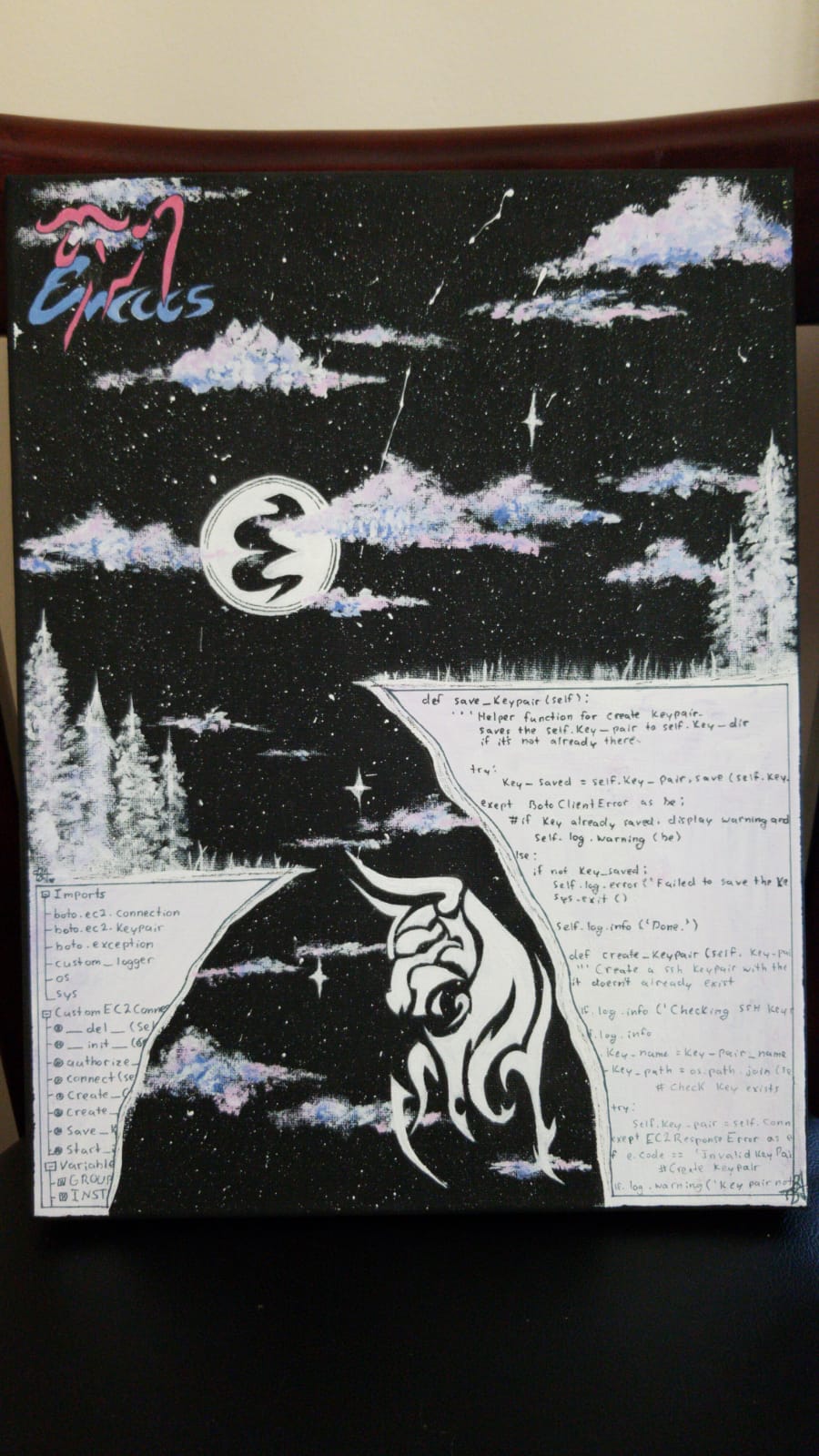
(cl-defun @image (json &optional explicit-image-path-prefix)
  "Assemble the value of '#+fileimage: image width height border?' as an HTML form.

By default, the image should be located in the top-level resources/ directory.
If the image is located elsewhere, or is a URL, is dictated by the presence of a `/'
in the image path.

Example use:  (@image (seq-elt blog-posts 0))

Here are 4 example uses:

#+fileimage: emacs-birthday-present.png
#+fileimage: ../resources/emacs-birthday-present.png
#+fileimage: https://upload.wikimedia.org/wikipedia/en/6/64/Dora_and_Boots.jpg 350 300
#+fileimage: https://unsplash.com/photos/Vc2dD4l57og

+ Notice that the second indicates explicit width and height.
+ (To make the first approach work with local previews,
   we need the variable EXPLICIT-IMAGE-PATH-PREFIX which is used for local previews in my/blog--style-setup. This requires a slash at the end.)
+ The unsplash approach is specific: It shows the *main* image in the provided URL, and links to the provided URL.
"
  (-let [(image width height no-border?) (s-split " " (map-elt json "image"))]
    (setq width (or width 350))
    (setq height (or height 350))
    (setq no-border? (if no-border? "" "style=\"border: 2px solid black;\""))
    (cond
     ((s-contains? "/" image) t) ;; It's a URL, or explicit path, do nothing to it.
     (explicit-image-path-prefix (setq image (format "%s%s"  explicit-image-path-prefix image)))
     ((not (s-contains? "/" image)) (setq image (format "resources/%s" image))))
    (-let [unsplash (cl-second (s-match ".*unsplash.com/photos/\\(.*\\)" image))]
      (setq href (if unsplash (concat "https://unsplash.com/photos/" unsplash) image))
      (setq title (format "Image credit %s" (if unsplash (concat "https://unsplash.com/photos/" unsplash) image)))
      (setq src (if unsplash (format "https://source.unsplash.com/%s/%sx%s" unsplash width height) image))
      (s-collapse-whitespace
       (format "<center class=\"post-image\"><a href=\"%s\" class=\"tooltip\" title=\"%s\"><img src=\"%s\" alt=\"Article image\"
             %s width=\"%s\" height=\"%s\" align=\"top\"/></a></center>"
              href title src no-border? width height)))))
blog--info: Core helper to get the plist/JSON metadata about each post
(defun blog--info (post-filename)
  "Extract the `#+BLOG_KEYWORD: VALUE` pairs from POST-FILENAME.

Example use: (blog--info \"~/blog/HeytingAlgebra.org\")

For container sub-articles, the temp file may carry synthetic keywords:
  #+history_url:         — overrides the auto-computed GitHub history URL
  #+htmlized_source_url: — URL for the per-article colourised source badge
These are ignored for ordinary standalone files (regex yields nil, fallback applies)."
  (let ((case-fold-search t))
    (with-temp-buffer
      (insert-file-contents post-filename)
      (delay-mode-hooks (org-mode))
      (let* ((keyword-pairs
              (cl-loop for (prop.name prop.regex prop.default) on
                    `("title"                "^\\#\\+title:[ ]*\\(.+\\)$"                ,post-filename
                      "date"                 "^\\#\\+modified:[ ]*\\([0-9][-0-9 a-zA-Z:]+\\)$" ,(format-time-string "%Y-%m-%d")
                      "image"                "^\\#\\+fileimage: \\(.*\\)"                "emacs-birthday-present.png 350 350"
                      "description"          "^\\#\\+description:[ ]*\\(.+\\)$"          "I learned something neat, and wanted to share!"
                      "tags"                 "^\\#\\+filetags:[ ]*\\(.+\\)$"             "" ;; String; Space-separated
                      "history_url"          "^\\#\\+history_url:[ ]*\\(.+\\)$"          nil
                      "htmlized_source_url"  "^\\#\\+htmlized_source_url:[ ]*\\(.+\\)$"  nil
                      "site_nav"             "^\\#\\+site_nav:[ ]*\\(.+\\)$"             nil
                      "modified"             "^\\#\\+modified:[ ]*\\(.+\\)$"             nil
                      )
                  by 'cdddr
                  ;; See: https://stackoverflow.com/questions/19774603/convert-alist-to-from-regular-list-in-elisp
                  do (goto-char (point-min))
                  collect (cons prop.name
                                (if (search-forward-regexp prop.regex nil t)
                                    (match-string 1)
                                  prop.default)))))
        (-snoc
         (cons
          (cons "file" (f-base post-filename))
          keyword-pairs)
         (cons "url" (concat "https://alhassy.com/" (f-base post-filename)))
         ;; Prefer an explicit #+history_url: (injected for container sub-articles)
         ;; over the auto-derived URL based on the file basename.
         (cons "history"
               (or (cdr (assoc "history_url" keyword-pairs))
                   (format "https://github.com/alhassy/alhassy.github.io/commits/master/%s.org"
                           (f-base post-filename))))
         (cons "abstract" (progn
                    (goto-char (point-min))
                    (when (re-search-forward "^\* Abstract" nil t)
                      (beginning-of-line)
                      (-let [start (point)]
                        (org-narrow-to-subtree)
                        (org-fold-show-entry)
                        (re-search-forward "^ *:END:" nil t) ;; Ignore :PROPERTIES: drawer, if any.
                        (forward-line)
                        (buffer-substring-no-properties (point) (point-max)))))))))))
blog--article-style, blog--make-slug: Utilities for the =multiple= article style
blog--article-style is the dispatch predicate used everywhere: in blog-preview,
blog-publish-all, blog--compute-posts, and blog-new-post. It reads
#+article_style: via the same regex approach used throughout blog--info, so
the two styles are always in sync.
Slugs serve as both the HTML filename (<slug>.html) and the URL path
(https://alhassy.com/<slug>). They are derived from heading titles rather than
filenames because container files hold many articles. Two headings in the same
container that produce the same base slug get -2, -3, … suffixes — handled by
blog--make-slugs-for-headings in a single two-pass sweep over the whole container
so the deduplication is stable regardless of order.
When the auto-derived slug is awkward, or when you want a URL that survives future
title edits, add :SLUG: your-exact-slug to the heading's :PROPERTIES: drawer.
Explicit slugs bypass blog--make-slugs-for-headings entirely — no suffix is appended,
and uniqueness is your responsibility.
- Tag-based image selection:
blog--image-for-tags
Picking an image for every post is friction we can eliminate.
blog--image-for-tagsmaps a list of Org heading tags to a default image, checked in priority order — first match wins, falling back toemacs-birthday-present.pngif nothing matches.This is used in two places:
blog--info-subtree— when a heading has no:IMAGE:property, the image is derived from its tags automatically.blog-new-post— the skeleton:IMAGE:line is pre-populated from the tags the user typed, so it is immediately visible and editable without being a required prompt.
To extend the map, add entries to
blog-tag-image-alist— pairs of(tag . "image-spec")where the image spec is anything#+fileimage:accepts (filename, URL,filename w h).(defvar blog-tag-image-alist '(("emacs" . "./resources/emacs-birthday-present.png 350 350") ("lisp" . "./resources/emacs-birthday-present.png 350 350") ("org" . "./resources/org_logo.png 350 350") ("haskell" . "./resources/haskell-logo.png 350 350") ("java" . "./resources/modern-java.png 350 350") ("arabic" . "./resources/arabic-irab.png 350 350") ("life" . "./resources/musa_pink.jpg 350 350") ("family" . "./resources/family-tree.png 350 350") ("karate" . "./resources/fukyu-kata.png 350 350")) "Alist mapping Org heading tags to default image specs for blog posts. First match wins. The image spec is anything #+fileimage: accepts. Used by blog--image-for-tags to avoid requiring an explicit :IMAGE: property on every container sub-article.") (defun blog--image-for-tags (tags) "Return a default image spec for the given list of TAGS (strings, lowercased). Checks blog-tag-image-alist in order; returns the first match. Falls back to the global default image when no tag matches." (or (cdr (seq-find (lambda (pair) (member (car pair) tags)) blog-tag-image-alist)) "./resources/emacs-birthday-present.png 350 350"))
(defun blog--file-keyword (file-or-nil key &optional default)
  "Return the value of `#+KEY:' as a trimmed string.

If FILE-OR-NIL is nil, scan the current buffer; otherwise read FILE-OR-NIL
into a temp buffer first.  Returns DEFAULT when the keyword is absent.
Case-insensitive on the key.  KEY omits the leading `#+' and trailing `:'."
  (let ((case-fold-search t)
        (rx (concat "^#\\+" (regexp-quote key) ":[ ]*\\(.*\\)$")))
    (cl-flet ((scan ()
                (save-excursion
                  (goto-char (point-min))
                  (if (re-search-forward rx nil t) (s-trim (match-string 1)) default))))
      (if (null file-or-nil)
          (scan)
        (with-temp-buffer
          (insert-file-contents file-or-nil)
          (scan))))))

(defun blog--article-style (&optional filename)
  "Return the #+article_style keyword for FILENAME (default: current buffer file).
Returns \"multiple\" or \"standalone\" (the default when the keyword is absent)."
  (let ((file (or filename (buffer-file-name))))
    (if (not file)
        "standalone"
      (blog--file-keyword file "article_style" "standalone"))))

(defun blog--make-slug (title)
  "Convert TITLE to a URL-safe kebab-case slug.

Lowercases, strips non-alphanumeric characters (keeping spaces and existing
dashes), then collapses runs of spaces/dashes into a single dash."
  (thread-last title
    downcase
    (replace-regexp-in-string "[^[:alnum:][:space:]-]" "")
    (replace-regexp-in-string "[[:space:]]+" "-")
    (replace-regexp-in-string "-+" "-")
    (replace-regexp-in-string "^-\\|-$" "")))

(defun blog--make-slugs-for-headings (titles)
  "Return a list of unique slugs for TITLES in the same order.

Collisions within the list are resolved by appending -2, -3, ... to the
base slug.  This is a two-pass approach: first derive base slugs, then
detect and fix collisions."
  (let ((seen (make-hash-table :test #'equal)))
    (mapcar (lambda (title)
              (let* ((base  (blog--make-slug title))
                     (count (gethash base seen 0))
                     (slug  (if (= count 0) base (format "%s-%d" base (1+ count)))))
                (puthash base (1+ count) seen)
                slug))
            titles)))
blog--info-subtree, blog--info-multiple: Extract metadata from container headings
These are the
multiple-style analogue ofblog--info. Whereblog--infoextracts metadata from file-level#+keyword:lines via regex,blog--info-subtreereads it from a heading's:PROPERTIES:drawer and Org heading tags viaorg-element— the right tool since we are navigating a tree, not scanning a flat file.blog--info-multipleparses the container once (oneorg-element-parse-buffercall) and returns a list of alists — one per publishable top-level heading — each with the same keys asblog--infoplus"slug"and"container". Parsing once and reusing the tree is deliberate: callingorg-element-parse-bufferper heading would be quadratic for large containers.The abstract resolution priority —
:DESCRIPTION:property, then** Abstract :ignore:child heading, then first paragraph — mirrors what standalone articles do in practice: most have an explicit* Abstractsection, but we want a sensible fallback for quick personal posts that skip the formality.(defun blog--info-subtree-abstract (headline-node) "Return the abstract text for HEADLINE-NODE, or nil. Priority: 1. :ABSTRACT: property on the headline. 2. A child heading whose title matches /abstract/i (e.g. ** Abstract :ignore:). 3. The first paragraph element in the heading body." (or ;; 1. Explicit property (org-element-property :ABSTRACT headline-node) ;; 2. Child heading named Abstract (org-element-map headline-node 'headline (lambda (child) (when (and (= (org-element-property :level child) (1+ (org-element-property :level headline-node))) (string-match-p "abstract" (downcase (or (org-element-property :raw-value child) "")))) (org-element-interpret-data (org-element-contents child)))) nil t) ;; 3. First paragraph fallback (org-element-map headline-node 'paragraph (lambda (para) (org-element-interpret-data para)) nil t))) (defun blog--info-subtree (headline-node container-file slug) "Extract post metadata for HEADLINE-NODE from CONTAINER-FILE with SLUG. Returns nil when the headline carries a :noexport: tag or the COMMENT keyword. Returns an alist with the same keys as blog--info plus \"slug\" and \"container\"." (let* ((heading-tags (mapcar #'downcase (org-element-property :tags headline-node)))) (unless (or (member "noexport" heading-tags) (org-element-property :commentedp headline-node)) (let* (;; draft? (draft? (or (member "draft" heading-tags) (equal "t" (org-element-property :DRAFT headline-node)))) ;; title: :TITLE: property overrides heading text (title (or (org-element-property :TITLE headline-node) (org-element-property :raw-value headline-node))) ;; date — prefer :MODIFIED:, fall back to :DATE: for old articles (date-raw (or (org-element-property :MODIFIED headline-node) (org-element-property :DATE headline-node))) (date (if date-raw (replace-regexp-in-string "[<>]" "" date-raw) (format-time-string "%Y-%m-%d"))) ;; description (description (or (org-element-property :DESCRIPTION headline-node) "I learned something neat, and wanted to share!")) ;; image: explicit :IMAGE: property wins; otherwise derive from tags (image (or (org-element-property :IMAGE headline-node) (blog--image-for-tags heading-tags))) ;; tags: merge :TAGS: property with heading tags; strip structural tags (structural-tags '("noexport" "draft" "ignore" "details" "details_orange" "details_green" "header" "reexport" "noreexport")) (prop-tags (s-split " " (or (org-element-property :TAGS headline-node) "") t)) (org-tags (seq-remove (lambda (tag) (member tag structural-tags)) heading-tags)) (all-tags (seq-uniq (append prop-tags org-tags))) (tags-str (s-join " " all-tags)) ;; abstract (abstract (blog--info-subtree-abstract headline-node)) ;; urls (container-base (f-base container-file)) (url (concat "https://alhassy.com/" slug)) (history (format "https://github.com/alhassy/alhassy.github.io/commits/master/%s.org" container-base))) (list (cons "file" container-base) (cons "slug" slug) (cons "container" container-base) (cons "title" title) (cons "date" date) (cons "image" image) (cons "description" description) (cons "tags" tags-str) (cons "url" url) (cons "history" history) (cons "abstract" abstract) (cons "draft" (if draft? "t" nil)) (cons "redirect" (org-element-property :REDIRECT headline-node)) (cons "modified" (org-element-property :MODIFIED headline-node)) (cons "site_nav" (org-element-property :SITE_NAV headline-node))))))) (defun blog--info-multiple (container-file) "Return a list of post-alists for all publishable top-level headings in CONTAINER-FILE. CONTAINER-FILE must carry #+article_style: multiple. Headings tagged :noexport: or carrying the COMMENT keyword are excluded. Headings tagged :draft: are included but marked." (with-temp-buffer (insert-file-contents container-file) (org-mode) (let* ((tree (org-element-parse-buffer)) ;; Collect all level-1 headings (top-headings (org-element-map tree 'headline (lambda (h) (when (= (org-element-property :level h) 1) h)))) ;; Derive slugs. A heading with an explicit :CUSTOM_ID: property uses it ;; verbatim (the author takes responsibility for uniqueness). All ;; other headings derive their slug from :TITLE: or the heading text ;; and go through blog--make-slugs-for-headings for dedup. (slugs (let* ((explicit ; :CUSTOM_ID: property, or nil (mapcar (lambda (h) (org-element-property :CUSTOM_ID h)) top-headings)) (titles ; used only for headings without an explicit slug (mapcar (lambda (h) (or (org-element-property :TITLE h) (org-element-property :raw-value h))) top-headings)) ;; Compute deduped slugs for the headings that need it, ;; passing a placeholder for those with explicit slugs so the ;; indices stay aligned. (deduped (blog--make-slugs-for-headings (cl-mapcar (lambda (exp title) (or exp title)) explicit titles)))) ;; Explicit :CUSTOM_ID: wins over the deduped result. (cl-mapcar (lambda (exp deduped) (or exp deduped)) explicit deduped)))) ;; Build alists, skipping noexport/COMMENT headings (blog--info-subtree returns nil for them) (delq nil (cl-mapcar (lambda (h slug) (blog--info-subtree h container-file slug)) top-headings slugs)))))
REDIRECT: zero-duplication bridges to external Org files
Often a project already has a lovingly maintained
README.org(or a self-contained section of~/.emacs.d/init.org) that is the article — there is no point copying it into a container heading just to republish it here.The
:REDIRECT:property solves this. Give any container heading a local path (tilde and environment variables are expanded) or anhttps://URL to an Org file; the publish pipeline replaces the subtree body with a single#+include:directive pointing at that file. Org's own include machinery does the rest — the result is indistinguishable from an article whose body was typed directly in the container.▼ My Literate Emacs Config : emacs : lisp : :PROPERTIES: :DATE: 2024-01-15 :DESCRIPTION: A literate Emacs configuration, tangled from Org and readable as prose. :REDIRECT: ~/.emacs.d/init.org :END: ▼ Remote README : docs : :PROPERTIES: :DATE: 2024-02-01 :REDIRECT: https://raw.githubusercontent.com/alhassy/example/master/README.org :END:
Neither
~/.emacs.d/nor an arbitrary HTTPS URL is reachable from a CI runner, soC-x C-svendors every:REDIRECT:intoresources/redirects/<slug>.org(see §) and rewrites the property in place to point at the in-repo copy. After one preview-save, the property reads:REDIRECT: resources/redirects/my-literate-emacs-config.org, CI has the content, and#+include:resolves without special cases.When
blog-publish-allprocesses the heading (viablog--publish-multiple-articles) it synthesises the usual file-level keyword preamble (#+title:,#+date:, etc.) and then appends#+include: "/…/blog/resources/redirects/my-literate-emacs-config.org"
No subtree content is copied or promoted — the export proceeds through the identical
blog--style-setuppipeline as any other article.Forcing a republish is a matter of nudging the staleness check (see §). Any of the following suffice:
- Axe the
:MODIFIED:property from the drawer. - Delete
~/blog/<slug>.htmloutright. touchthe redirected file so its mtime is newer than:MODIFIED:.
The new key
"redirect"is surfaced in every alist produced byblog--info-subtreeand passed through the full pipeline, so tag pages, the RSS feed, and the index all treat redirect articles identically to hand-authored ones.Vendoring redirects so CI can resolve them
A
:REDIRECT:of~/.emacs.d/init.orgworks beautifully on the author's laptop and catastrophically on CI — the runner has no~/.emacs.d/and#+include:aborts. We solve this by vendoring every redirect source into the blog repo atC-x C-spreview time, then rewriting the property to point at the in-repo copy:- Local path (
~/.emacs.d/init.org,../foo.org, …) —url-copy-file'd intoresources/redirects/<slug>.org, which is git-tracked. - HTTP(S) URL (
https://raw.githubusercontent.com/…/README.org, …) — fetched into the same directory.
On preview (
C-x C-s),blog--publish-single-subtreevendors the redirect on-the-fly into the temp file it creates for export — the source:REDIRECT:property is left untouched.On full publish (
blog-publish-all, i.e. CI),blog--vendor-redirectsruns first: it copies each upstream intoresources/redirects/and rewrites the:REDIRECT:property to the in-repo path. That rewritten value is committed to git, so CI's clean checkout can resolve the#+include:without network access or author-local paths like~/.emacs.d/.CI re-exports every subtree on every run (the checkout has no prior HTML to diff against), so the vendored copy simply has to be present when
org-export-to-htmlfollows the#+include:.blog--vendor-redirectsrefreshes that copy on every publish, and git is the audit log.(defvar blog-redirects-subdir "resources/redirects/" "Subdirectory of `blog-posts-directory' where :REDIRECT: sources are vendored for CI. Relative path; must end with a trailing slash.") (defun blog--url-p (path) "Return non-nil if PATH is an HTTP(S) URL." (string-match-p "\\`https?://" path)) (defun blog--already-vendored-p (path) "Return non-nil if PATH is already rooted at `blog-redirects-subdir'." (string-prefix-p blog-redirects-subdir path)) (defun blog--vendor-one-redirect (slug redirect) "Fetch REDIRECT (a local path or http(s) URL) into `blog-redirects-subdir'/SLUG.org and return the vendored relative path. A no-op if REDIRECT already points into `blog-redirects-subdir'." (if (blog--already-vendored-p redirect) redirect (let* ((dest-dir (expand-file-name blog-redirects-subdir blog-posts-directory)) (dest (expand-file-name (concat slug ".org") dest-dir))) (make-directory dest-dir t) (cond ((blog--url-p redirect) (url-copy-file redirect dest t)) (t (let ((src (expand-file-name redirect))) (unless (file-exists-p src) (user-error "REDIRECT source does not exist: %s" src)) (copy-file src dest t)))) (call-process "git" nil nil nil "add" dest) (concat blog-redirects-subdir slug ".org")))) (defun blog--map-publishable-top-headings (fn) "Walk top-level headings in the current buffer and call FN with point on each. Only runs on multiple-style containers. Skips COMMENTed headings — the per-heading FN is responsible for any further filtering (e.g. :noexport:)." (when (blog--multiple-style-p) (save-excursion (goto-char (point-min)) (while (re-search-forward "^\\* " nil t) (unless (org-element-property :commentedp (org-element-at-point)) (funcall fn)) (org-end-of-subtree t t))))) (defun blog--assign-slugs () "Walk the current buffer's top-level headings; for each without a :CUSTOM_ID: property, derive one from the heading title (or :TITLE: override) and write it back via `org-entry-put'. Called from the C-x C-s preview binding so that, by the time a source lands in git, every container heading carries a stable :CUSTOM_ID:. CI then reads :CUSTOM_ID: and errors out if missing, rather than silently generating one and writing back to a throwaway checkout." (blog--map-publishable-top-headings (lambda () (let ((tags (mapcar #'downcase (org-get-tags)))) (unless (or (member "noexport" tags) (org-entry-get (point) "CUSTOM_ID")) (let* ((title (org-get-heading t t t t)) (slug (blog--make-slug (or (org-entry-get (point) "TITLE") title)))) (org-entry-put (point) "CUSTOM_ID" slug) (message "=> Assigned :CUSTOM_ID: %s to %s" slug title))))))) (defun blog--vendor-redirects () "Walk the current buffer's top-level headings; for each with a :REDIRECT: property, vendor the source into `blog-redirects-subdir' and rewrite the property to the vendored in-repo path. Only touches multiple-style containers. Called by `blog-publish-all' (CI) so the rewritten path lands in git and CI can resolve it on a clean checkout. NOT called on preview/C-x C-s — preview vendors on-the-fly inside `blog--publish-single-subtree' without touching the source buffer. Relies on `blog--assign-slugs' having run first so every heading carries a :CUSTOM_ID: property we can build the vendored filename from." (blog--map-publishable-top-headings (lambda () (let ((redirect (org-entry-get (point) "REDIRECT")) (slug (org-entry-get (point) "CUSTOM_ID"))) (when (and redirect slug (not (blog--already-vendored-p redirect))) (let ((vendored (blog--vendor-one-redirect slug redirect))) (org-entry-put (point) "REDIRECT" vendored) (message "=> Vendored redirect for %s ← %s" slug redirect)))))))
MODIFIED: retired staleness machinery
For historical interest: there was a
:MODIFIED: <YYYY-MM-DD>property stamped on each container heading after a successful export, and a predicateblog--subtree-stale-pthat compared:MODIFIED:to the<slug>.htmlmtime to skip unchanged subtrees on the next publish. That machinery only mattered while the author published locally — CI now rebuildspublic/from scratch on every run (the checkout has no prior HTML to compare against, so the stale-check always reported "stale"), and the:MODIFIED:stamps were writing back into source files from CI's throwaway working tree, which is pointless. Both were axed.If a future iteration ever caches
public/across CI runs (e.g. checking outgh-pagesand incrementally updating),:MODIFIED:resurrects as the natural cache key: set the property explicitly on a heading you want re-exported, and the cached HTML older than that date gets invalidated. For the RSS guid's "edits re-notify readers" story we took a different route — see § — because it works without the author having to remember to stamp anything.SITE_NAV: data-driven site navigation from container subtrees
Previously the site header — the links that appear at the top of every page — was a hardcoded HTML string in
blog-page-preamble. Adding or renaming a nav link meant editing that string by hand, with no connection to the rest of the blog's metadata.We replace this with a
:SITE_NAV: tproperty on container subtrees. Any heading in any#+article_style: multiplefile that carries this property is treated as a site navigation page rather than a blog post: it is collected intoblog-pages(notblog-posts), excluded from the index and tag pages, and its URL and title are rendered as a link in the preamble of every page.A typical nav page heading looks like:
▼ AlBasmala : emacs : lisp :
:PROPERTIES:
:DATE:         2020-01-01
:DESCRIPTION: How this blog works.
:SLUG:        AlBasmala
:SITE_NAV:    AlBasmala
:END:
The nav is rebuilt automatically by
blog--rebuild-preamble, which is called at the end of everyblog--refresh-postsinvocation. The order of links in the header matches the order ofblog-pages, which is the order the headings appear in their container files.Forcing a nav rebuild without a full publish:
(blog--refresh-posts)suffices.The implementation lives in three new/modified functions (all in the
blog-posts, blog-tags, and their consumerssection):Function Role blog--compute-posts-and-pagesReplaces blog--compute-posts; returns(posts . pages)consblog--rebuild-preambleGenerates blog-page-preamblefromblog-pagesblog--refresh-postsUpdated to populate blog-pagesand callblog--rebuild-preamble🔗The
#+begin_abstractis an Org-mode Special BlockEvery article is intended to have a section named
Abstract, whose contents are used as the preview of the article, in the index landing page. See §3 for a template.Below is an alteration from the examples of the docstring of org-defblock.
(org-defblock abstract (main) nil
  "Render a block in a slightly narrowed blueish box, titled \"Abstract\".

   Supported backends: HTML. "
   (format (concat
            "<div class=\"abstract\" style=\"border: 1px solid black;"
            "padding: 1%%; margin-top: 1%%; margin-bottom: 1%%;"
            "margin-right: 10%%; margin-left: 10%%; background-color: lightblue;\">"
            "<center> <strong class=\"tooltip\""
            "title=\"What's the goal of this article?\"> Abstract </strong> </center>"
            "%s </div>")
           contents))
★ ★ ★ For example, the source:
#+begin_abstract
In this article, we learn to have fun!
#+end_abstract
Results in:
Abstract In this article, we learn to have fun!
Generating the Index Page
The actual look and feel of
index.htmlis due to the method blog-make-index-page. It summarises all of my articles by their title, data & image, 'abstract', and a read-more badge.1: (defun blog--greeting (&optional tag) 2: "Return the index/tag-page greeting string, optionally specialised to TAG. 3: 4: The `thread-first` / `doc:cl-loop' name-drop makes sense on the landing page 5: (Elisp is the site's /lingua franca/) but reads as a non-sequitur on a 6: tag-scoped page like `life' — so tag pages get a trimmed variant." 7: (if tag 8: (format "Here are some of my latest thoughts on %s... badge:Made_with|Lisp|success|https://alhassy.github.io/ElispCheatSheet/CheatSheet.pdf|Gnu-Emacs tweet:https://alhassy.com @@html:<br><br>@@" 9: (blog--tag-slug tag)) 10: "Here are some of my latest thoughts... badge:Made_with|Lisp|success|https://alhassy.github.io/ElispCheatSheet/CheatSheet.pdf|Gnu-Emacs such as doc:thread-first and doc:cl-loop (•̀ᴗ•́)و tweet:https://alhassy.com @@html:<br><br>@@")) 11: 12: (defun blog--card (post) 13: "Return the Org source for one article card. 14: 15: No Org heading is emitted — Org would render it as an <h2> *in addition* 16: to our own <h2 class=\"title\"> inside the export block, giving every 17: card a duplicated title. Per-tag filtering is done in Elisp before 18: cards are built (see `blog-make-index-page'), so the Org tag machinery 19: earns us nothing here." 20: (concat 21: "#+begin_export html\n" 22: (format "<h2 class=\"title\"><a href=\"%s\">%s</a></h2>\n" 23: (@url post) (blog--title-html (@title post))) 24: (format "<center>%s</center>\n" (@tags post)) 25: (@image post "resources/") 26: "\n#+end_export\n" 27: "\n" 28: (or (@abstract post) "") 29: "\n" 30: ;; badge:… is an org-special-block-extras link type, so it must sit in 31: ;; Org territory — not inside #+begin_export html, which would ship it 32: ;; verbatim to the HTML output. The @@html:…@@ wrappers give us the 33: ;; surrounding <p> while keeping the badge: link itself as Org syntax. 34: (format "@@html:<p style=\"text-align:right\">@@ badge:Read|more|green|%s|read-the-docs @@html:</p>@@\n" 35: (@url post)) 36: "\n@@html:<hr>@@\n")) 37: 38: (defun blog--toc-block (posts) 39: "Return a #+begin_export html block listing every post as a linked TOC entry." 40: (concat 41: "#+begin_export html\n" 42: "<details id=\"articles-toc\" style=\"text-align:center;margin:1em 0\">\n" 43: "<summary style=\"cursor:pointer;font-size:1.1em;font-weight:bold\">Articles on this page</summary>\n" 44: "<ol style=\"display:inline-block;text-align:left;margin-top:0.5em\">\n" 45: (mapconcat (lambda (post) 46: (format "<li><a href=\"%s\">%s</a></li>\n" 47: (@url post) (blog--title-html (@title post)))) 48: posts "") 49: "</ol>\n</details>\n" 50: "#+end_export\n")) 51: 52: (defun blog--make-page-buffer (posts greeting export-file-name &optional rss-file) 53: "Return a fresh Org buffer for POSTS with GREETING, targeting EXPORT-FILE-NAME. 54: RSS-FILE is the filename of the associated feed (\"rss.xml\" for the index, 55: \"<tag>-rss.xml\" for a tag page). It is surfaced as a prominent link right 56: under the greeting so readers see it without scrolling. 57: Caller is responsible for killing the buffer when done." 58: (let ((buf (generate-new-buffer " *blog-page*")) 59: (rss (or rss-file "rss.xml"))) 60: (with-current-buffer buf 61: (insert 62: (format "#+EXPORT_FILE_NAME: %s\n" export-file-name) 63: "#+options: toc:nil title:nil html-postamble:nil broken-links:t\n" 64: "#+begin_export html\n" 65: blog-page-preamble "\n" 66: blog-page-header "\n" 67: "#+end_export\n" 68: "#+html: <br>\n" 69: greeting "\n" 70: (format "#+html: <p style=\"text-align:center;\"><a href=\"%s\">📡 Subscribe via RSS</a></p>\n" rss) 71: "#+html: <br>\n" 72: (blog--toc-block posts) 73: "#+html: <br>\n" 74: (mapconcat #'blog--card posts "\n") 75: "\n#+begin_export html\n" 76: "<hr> <center> <em> Thanks for reading everything! 😁 Bye! 👋 </em>" 77: " </center> <br/>\n" 78: (blog--license) 79: "\n#+end_export\n") 80: (org-mode) 81: ;; ospe provides the `badge:`, `doc:`, `tweet:` etc. link handlers 82: ;; used throughout `blog--card', and appends tooltipster CSS/JS 83: ;; to `org-html-head-extra' on first activation (idempotent — 84: ;; ospe's setup-guard wraps the injection). 85: (org-special-block-extras-mode 1)) 86: buf)) 87: 88: (defun blog-make-index-page () 89: "Assemble index.html and every tag page. 90: 91: Builds one Org buffer per output file, each populated directly from 92: the relevant subset of blog-posts — no copy-then-delete." 93: (cl-flet ((export-page (posts greeting dest rss) 94: (let ((buf (blog--make-page-buffer posts greeting dest rss))) 95: (unwind-protect 96: (with-current-buffer buf (org-html-export-to-html)) 97: (with-current-buffer buf (set-buffer-modified-p nil)) 98: (kill-buffer buf))))) 99: (export-page blog-posts 100: (blog--greeting) 101: (concat blog-publish-directory "index.html") 102: "rss.xml") 103: (let ((by-tag (blog--posts-by-tag))) 104: (dolist (tag blog-tags) 105: (message "=> Generating tag page: %s..." tag) 106: (let ((slug (blog--tag-slug tag))) 107: (export-page (gethash tag by-tag) 108: (blog--greeting tag) 109: (concat blog-publish-directory (concat "tag-" slug ".html")) 110: (concat slug "-rss.xml")))))))
RSS feeds: one per tag, plus a global one
RSS (Really Simple Syndication) is a plain-text format a website uses to announce its new content. A reader program — Feedly, Inoreader, Newsboat, NetNewsWire, and dozens of others — subscribes to the URL of an RSS feed and periodically refetches it. When the feed has a new
<item>, the reader surfaces it as "there is a new article". The blog does not push; readers pull whenever they want.So yes: every time we publish, this pipeline regenerates
rss.xml; the next time a reader's program polls our URL, it compares entries to what it saw last time and notifies the human about any new ones. We never send email, we never track subscribers, we never even know who is subscribed. Publishing is just "put a new item in the feed"; the rest is the reader's problem.Why bother generating these at all? Because RSS is the one remaining ambient-notification mechanism for writers on the open web: no algorithm, no platform lock-in, no "follow" button owned by a company. A reader who subscribed to your RSS feed in 2008 is still subscribed today as long as the URL resolves. For a personal technical blog, it's the cheapest way to have an audience that returns.
We emit two flavours of feed:
rss.xml— every post, newest first. For the reader who wants everything you write.<tag>-rss.xml— per-tag feed (e.g.emacs-rss.xml,arabic-rss.xml). For a reader who wants only theemacsorarabicarticles. The link to each tag-specific feed is surfaced at the top of the corresponding tag page.
Each item carries a
<pubDate>, a<link>back toalhassy.com/<slug>, and the article's#+descriptionas its preview text. Bodies are intentionally not embedded: we want readers to click through.On identity and what counts as "new". Every
<item>also carries a<guid>(globally unique identifier). Feed readers remember which GUIDs they have already surfaced to their user; on every refetch they compare the feed's current GUIDs against that seen-set:- New GUID → reader announces it as a new post.
- Already-seen GUID → reader ignores the item, even if its title, description, or pubDate changed.
Our GUIDs are
alhassy.com/<slug>?last-updated=<MODIFIED>when the post carries a:MODIFIED:property (file-level#+modified:for standalone posts, heading-level:MODIFIED:for container sub-articles), or plainalhassy.com/<slug>otherwise.The consequence is entirely author-driven:
- No
:MODIFIED:present → guid is just the URL → edits are silent. Typos, whitespace fixes, paragraph rewrites all land on the deployed HTML without waking anyone up. - Bumping
:MODIFIED:(to any later ISO date, e.g.2026-05-06) → guid changes → next CI publish re-announces the post to every subscriber's feed reader.
So the publishing contract is: you decide what "update" means. Fix a typo and CI quietly ships it. Finish rewriting the introduction, stamp
:MODIFIED:to today's date, push — subscribers hear about it.Partial-commit trick. Magit makes this a one-keystroke workflow: bump
:MODIFIED:whenever you save (so the stamp is always current while editing), and when preparing a commit, unstage the:MODIFIED:hunk withuif you don't want this particular edit to announce. The commit lands without the property bump;gh-pagesgets the updated HTML; the guid is unchanged; subscribers stay silent. Conversely, stage the:MODIFIED:hunk withswhen you do want the announce. The "should this notify?" decision lives exactly where it belongs — at commit time, per-hunk, alongside the actual change.An alternative we considered was deriving the date automatically from
git logon the source file (per-heading for container articles, viagit log -L /regex/,/regex/:file). That removes one piece of author discipline but adds a different one: every single commit counts, so a[typo]commit re-announces the post. Either move the noise upstream (squash cosmetic commits before pushing) or accept the signal loss. We went with:MODIFIED:because it matches how humans actually think about revisions, and it costs nothing on CI — no git shell-outs per post, no-Lregex-escape edge cases.1: (defun blog--rss-date (date-str) 2: "Format DATE-STR (an Org date string) as an RFC-822 pubDate for RSS." 3: (format-time-string "%a, %d %b %Y %H:%M:%S %z" 4: (condition-case _ 5: (date-to-time date-str) 6: (error (current-time))))) 7: 8: (defun blog--rss-guid (post) 9: "Return POST's RSS <guid>. 10: 11: If POST carries a :MODIFIED: property, the guid is the article URL with 12: a ?last-updated=<MODIFIED> query string; bumping :MODIFIED: therefore 13: re-announces the post to every subscriber's feed reader (see the 14: identity discussion in the prose above). Without :MODIFIED:, the guid 15: is just the URL — edits stay quiet until you stamp one." 16: (let ((modified (map-elt post "modified"))) 17: (if modified 18: (format "%s?last-updated=%s" (@url post) modified) 19: (@url post)))) 20: 21: (defun blog--make-one-rss-feed (posts filename &optional channel-title) 22: "Emit `blog-publish-directory'/FILENAME from POSTS. 23: 24: A minimal RSS 2.0 feed — title, link, pubDate, description per item. 25: Body is intentionally a short #+description rather than the full article 26: HTML, so readers click through to alhassy.com. CHANNEL-TITLE defaults 27: to `blog-title'. 28: 29: Text fields are run through `xml-escape-string' so <, >, & in titles 30: and descriptions do not break feed readers." 31: (cl-flet ((esc (s) (xml-escape-string (or s "")))) 32: (let ((dest (concat blog-publish-directory filename)) 33: (title (or channel-title blog-title))) 34: (with-temp-file dest 35: (insert "<?xml version=\"1.0\" encoding=\"UTF-8\"?>\n" 36: "<rss version=\"2.0\">\n" 37: "<channel>\n" 38: "<title>" (esc title) "</title>\n" 39: "<link>" (esc blog-url) "</link>\n" 40: "<description>" (esc title) "</description>\n" 41: "<language>en-us</language>\n") 42: (dolist (post posts) 43: (insert "<item>\n" 44: "<title>" (esc (@title post)) "</title>\n" 45: "<link>" (esc (@url post)) "</link>\n" 46: "<guid>" (esc (blog--rss-guid post)) "</guid>\n" 47: "<pubDate>" (blog--rss-date (@date post)) "</pubDate>\n" 48: "<description>" (esc (@description post)) "</description>\n" 49: "</item>\n")) 50: (insert "</channel>\n</rss>\n"))))) 51: 52: (defun blog--posts-by-tag () 53: "Return a hash-table mapping tag-string → list of posts carrying that tag. 54: 55: Each post appears under every tag it declares in #+filetags. Lookup is 56: O(1); the table mirrors `blog-posts' and should be rebuilt after every 57: `blog--refresh-posts' call — cheapest to just call this fresh at each 58: consumer (index/RSS loops)." 59: (let ((by-tag (make-hash-table :test #'equal))) 60: (dolist (p blog-posts) 61: (dolist (tag (s-split " " (map-elt p "tags") t)) 62: (push p (gethash tag by-tag)))) 63: (maphash (lambda (k v) (puthash k (nreverse v) by-tag)) by-tag) 64: by-tag)) 65: 66: (defun blog--make-rss-feed () 67: "Emit rss.xml (all posts) plus one <tag>-rss.xml per tag." 68: (blog--make-one-rss-feed blog-posts "rss.xml") 69: (let ((by-tag (blog--posts-by-tag))) 70: (dolist (tag blog-tags) 71: (blog--make-one-rss-feed 72: (gethash tag by-tag) 73: (concat (blog--tag-slug tag) "-rss.xml") 74: (format "%s — %s" blog-title tag))))) 75:
blog-posts, blog-tags, and their consumers: tag & index page generation
blog-postsis a sorted list of post-alists (newest first), computed by scanning~/blog/*.orgdirectly. Its heavyweight consumer isblog-make-index-page, which iterates it to build every article card on the index and tag pages.blog-tagsis a flat sorted list of unique tag strings derived fromblog-posts— used for tag-page iteration and helm completion.Both are initialized once at the bottom of this file (after all helpers are defined) via
(blog--refresh-posts), and refreshed after every publish.1: (defun blog--compute-posts-and-pages () 2: "Scan ~/blog/*.org and return (posts . pages). 3: 4: Every .org file is processed uniformly — there is no special-cased directory. 5: Container files (#+article_style: multiple) yield many post entries; standalone 6: files yield one. A file with #+site_nav: contributes a nav-page entry instead 7: of (or in addition to) a post entry. 8: 9: posts — all entries, sorted newest-first. 10: pages — site_nav entries, unsorted (used for the nav bar)." 11: (let ((posts '()) 12: (pages '())) 13: (dolist (file (f-files blog-posts-directory)) 14: (when (and (s-ends-with? ".org" file) 15: (blog--publishable-p file)) 16: (let ((infos (if (blog--multiple-style-p file) 17: (blog--info-multiple file) 18: (list (blog--info file))))) 19: (dolist (info infos) 20: (when (map-elt info "site_nav") (push info pages)) 21: (push info posts))))) 22: (cons (sort posts (lambda (a b) 23: (time-less-p (date-to-time (@date b)) 24: (date-to-time (@date a))))) 25: pages))) 26: 27: (defun blog--rebuild-preamble () 28: "Regenerate blog-page-preamble from blog-pages. 29: Falls back to blog--preamble-fallback when blog-pages is empty. 30: Called automatically by blog--refresh-posts; also useful to call 31: interactively after editing :SITE_NAV: headings." 32: (setq blog-page-preamble 33: (if (null blog-pages) 34: (blog--preamble-fallback) 35: (concat 36: "<div class=\"header\">\n" 37: " <a href=\"https://alhassy.github.io/\" class=\"logo\">Life & Computing Science</a>\n" 38: " <br/>\n" 39: (mapconcat (lambda (p) 40: (format " <a href=\"%s\">%s</a>\n" (@url p) (map-elt p "site_nav"))) 41: blog-pages "") 42: "</div>")))) 43: 44: (defun blog--refresh-posts () 45: "Recompute blog-posts, blog-pages, and blog-tags from source org files." 46: (let ((result (blog--compute-posts-and-pages))) 47: (setq blog-posts (car result)) 48: (setq blog-pages (cdr result)) 49: (setq blog-tags 50: (sort (seq-uniq (mapcan (lambda (it) (s-split " " (map-elt it "tags") t)) 51: blog-posts)) 52: #'string<)) 53: (blog--rebuild-preamble))) 54: 55: (defvar blog-page-preamble "" 56: "HTML injected at the top of every exported page: the site nav bar. 57: Set by blog--rebuild-preamble whenever blog-pages changes.") 58: 59: (defvar blog-page-header "" 60: "HTML injected into the <head> of every exported page: CSS, JS, MathJax, etc. 61: Set once at load time by the setq block near the blog-banner section.") 62: 63: (defvar blog-posts nil 64: "All post metadata, sorted newest-first. Initialized at end of file; refresh with (blog--refresh-posts).") 65: 66: (defvar blog-pages nil 67: "Site navigation page metadata (subtrees with :SITE_NAV: t). 68: These appear as header links on every page but not as blog post cards. 69: Initialized at end of file; refresh with (blog--refresh-posts).") 70: 71: (defvar blog-tags nil 72: "Tags for my blog articles. Initialized at end of file; refresh with (blog--refresh-posts).")
4. Seamlessly Previewing Articles within Emacs 😲
Whenever I save, C-x C-s, I'd like to see the final product, the resulting web-page in a JavaScript-supported browser within Emacs.
- By "final product" I mean all styles and other features of my blog, as
discussed in this article; for example, this includes the article image,
abstract, and blog header and footer.
- I'd like to have all of my styles automatically loaded in the right places.
- This gives me a nonintrusive way to preview what I write; ≈WYSIWYG≈.
We accomplish these goals via the following methods.
org-link/blog: Using My Blog Styles Anywhere
In any Org-mode file —including random ones that are not even for my blog— I'll use the Org links blog:header and
blog:footer to obtain the nice styling of my blog.
This is a minor alteration from the examples within the docstring of org-deflink.
(org-deflink blog
  "Provide the styles for 'www.alhassy.com's header and footer.

The use of 'blog:footer' aims to provide a clickable list of tags, produce an HTMLized version of the Org source,
and provides a Disqus comments sections. For details, consult the blog--footer function.

Finally, I want to avoid any `@@backend:...@@' from appearing in the browser frame's title.
We accomplish this with the help of some handy-dandy JavaScript: Just use 'blog:sanitise-title'.
"
      (pcase o-label
        ("header" (concat
                   blog-page-preamble
                   blog-page-header
                   "<link href=\"https://alhassy.github.io/org-notes-style.css\" rel=\"stylesheet\" type=\"text/css\" />"
                   "<link href=\"https://alhassy.github.io/floating-toc.css\" rel=\"stylesheet\" type=\"text/css\" />"
                   "<link href=\"https://alhassy.github.io/blog-banner.css\" rel=\"stylesheet\" type=\"text/css\" />"
                   (format "<br><center><h1 class=\"post-title\">%s</h1></center>"
                           (blog--title-html (@title (blog--info (buffer-file-name)))))))
        ("footer" (blog--footer (buffer-file-name)))
        ("sanitise-title" "<script> window.parent.document.title =  window.parent.document.title.replace(/@@.*@@/, \"\") </script>")
        (_ "")))
See also: How do I make a new Org link type?
blog--style-setup: A function to insert org-link/blog into a buffer
(defun blog--style-setup (_backend)
  "Insert blog header (fancy title), tags, blog image (before \"* Abstract\"), and footer (links to tags).

There are default options: TOC is at 2 levels, no classic Org HTML postamble nor drawers are shown.
Notice that if you explicitly provide options to change the toc, date, or show drawers, etc;
then your options will be honoured. (Since they will technically come /after/ the default options,
which I place below at the top of the page.)
"
  (goto-char (point-min))
  (let ((post (blog--info (buffer-file-name))))
    (insert "#+options: toc:2 html-postamble:nil d:nil"
            (if (buffer-narrowed-p) "\n#+options: broken-links:t" "")
            "\n blog:header blog:sanitise-title \n"
            "\n* Tags, then Image :ignore:"
            "\n#+html: "
            "<center>"
            (@tags post)
            "</center>"
            "\n#+html: "
            (@image post "resources/")
            "\n#+html: "
            (blog--badges-bar post (buffer-file-name))
            "\n")

    ;; Wrap contents of "* Abstract" section in the "abstract" Org-special-block
    ;; (In case we are narrowed, we only act when we can find the Abstract.)
    ;; TODO: Replace this with (@abstract (blog--info (buffer-file-name))), or: (@abstract post)
    (when (re-search-forward "^\* Abstract" nil t)
      (beginning-of-line)
      (-let [start (point)]
        (org-narrow-to-subtree)
        (org-show-entry)
        (re-search-forward "^ * :END:" nil t) ;; Ignore :PROPERTIES: drawer, if any.
        (forward-line)
        (insert "\n#+begin_abstract\n")
        (call-interactively #'org-forward-heading-same-level)
        ;; In case there is no next section, just go to end of file.
        (when (equal start (point)) (goto-char (point-max)))
        (insert "\n#+end_abstract\n")
        (widen)))

    (goto-char (point-max))
    ;; The Org file's title is already shown via blog:header, above, so we disable it in the preview.
    (insert (format "\n* footer :ignore: \n blog:footer \n #+options: title:nil \n"))))
Inserting org-link/blog seamlessly via the export process; then preview with every save
Both blog-preview (standalone) and blog-preview-subtree (multiple style) open the
rendered article in an in-Emacs xwidget-webkit browser buffer. This requires Emacs
to be compiled with xwidgets support. On macOS with emacs-plus:
brew reinstall emacs-plus@30 --with-xwidgets --with-imagemagick --with-dbus --with-debug
Confirm support is present with: (featurep 'xwidget-internal).
blog--show-preview enforces a fixed side-by-side layout: the Org source stays in
the left window and the xwidget view occupies a right split. If an xwidget window
already exists on the right it is reused (navigated to the new URL); otherwise a
new window is split off to the right. This is the layout we always want from
C-x C-s, so no other browser-function juggling is needed.
(defun blog--xwidget-buffers ()
  "Return the list of live buffers whose major mode is xwidget-webkit-mode."
  (seq-filter (lambda (b)
                (eq 'xwidget-webkit-mode (buffer-local-value 'major-mode b)))
              (buffer-list)))

(defun blog--show-preview (url)
  "Display URL in an xwidget buffer to the right of the current Org window.

Guarantees [Org source | xwidget] side-by-side layout:
- If there is already an xwidget window on the right, reuse it.
- Otherwise split the current window to the right and open there.
- The Org source window is never taken over."
  (let* ((org-win   (selected-window))
         (xw-buf    (car (blog--xwidget-buffers)))
         (xw-win    (and xw-buf (get-buffer-window xw-buf))))
    (if (and xw-win (not (eq xw-win org-win)))
        ;; Reuse the existing xwidget window — just navigate.
        (progn
          (select-window xw-win)
          (xwidget-webkit-browse-url url)
          (select-window org-win))
      ;; No usable xwidget window — split right and open there.
      (let ((right-win (split-window org-win nil 'right)))
        (select-window right-win)
        (xwidget-webkit-browse-url url)
        (select-window org-win)))))

(defun blog--preview-standalone ()
  "Export the current standalone Org buffer to HTML and open it in xwidget.

Called from the buffer-local after-save-hook installed by blog-preview.
Mirrors blog-preview-subtree but for files without #+article_style: multiple."
  (let* ((html (concat (file-name-sans-extension buffer-file-name) ".html")))
    (message "=> Previewing %s..." (buffer-name))
    (add-hook 'org-export-before-processing-hook #'blog--style-setup)
    (org-export-to-file 'html html)
    (when (file-exists-p html)
      (blog--show-preview (concat "file://" html)))))

(cl-defun blog-preview ()
  "Enable preview-on-save, dispatching on #+article_style.

For standalone files (default): installs a buffer-local after-save-hook that
exports via blog--style-setup and opens the result in xwidget (bypassing
org-preview-html-mode, which triggers a macOS download dialog for file:// URLs).

For multiple-style files: adds a buffer-local after-save-hook that calls
blog-preview-subtree, which previews just the heading at point."
  (interactive)
  ;; Kill any stale org-preview-html-mode — it puts org-preview-html-refresh on
  ;; after-save-hook, and that errors when --html-file is nil (our path never sets it).
  (when (bound-and-true-p org-preview-html-mode)
    (org-preview-html-mode -1))
  (remove-hook 'after-save-hook #'org-preview-html-refresh t)
  ;; Ensure no xwidget buffer lingers — otherwise Emacs might hang on re-preview.
  (let ((kill-buffer-query-functions nil))
    (mapc #'kill-buffer (blog--xwidget-buffers)))
  (if (blog--multiple-style-p)
      ;; Multiple-style: preview heading at point on every save (buffer-local hook).
      (add-hook 'after-save-hook #'blog-preview-subtree nil t)
    ;; Standalone: bypass org-preview-html-mode (file:// download bug on macOS).
    (add-hook 'after-save-hook #'blog--preview-standalone nil t)
    (blog--preview-standalone)))

(defun blog-preview-subtree ()
  "Preview the top-level heading at point as a standalone blog article.

For use in multiple-style (#+article_style: multiple) files.
Called automatically by the buffer-local after-save-hook set up by blog-preview.

Opens (or reuses) an xwidget window to the right of the Org source buffer,
maintaining a stable [Org source | xwidget] side-by-side layout."
  (interactive)
  (let ((kill-buffer-query-functions nil))
    (unless (blog--multiple-style-p)
      (user-error "Not a multiple-style file; use blog-preview instead"))
    ;; Navigate to enclosing top-level heading.
    (save-excursion
      (unless (org-at-heading-p) (outline-previous-heading))
      (while (> (org-outline-level) 1) (org-up-heading-safe))
      (let* ((tags  (mapcar #'downcase (org-get-tags)))
             (_ (when (member "noexport" tags)
                  (user-error "Heading is tagged :noexport: — nothing to preview")))
             (_ (when (org-element-property :commentedp (org-element-at-point))
                  (user-error "Heading is COMMENT — nothing to preview")))
             (title     (org-get-heading t t t t))
             (slug      (or (org-entry-get (point) "CUSTOM_ID")
                            (blog--make-slug (or (org-entry-get (point) "TITLE") title))))
             (all-infos (blog--info-multiple (buffer-file-name)))
             (info      (blog--find-info-by-slug slug all-infos))
             (html-out  (expand-file-name (concat slug ".html") blog-posts-directory)))
        (message "=> Previewing %s..." title)
        (blog--publish-single-subtree (point) (buffer-file-name) info)
        (when (file-exists-p html-out)
          ;; blog--show-preview reuses the existing xwidget window when present,
          ;; so the [Org | xwidget] split is stable across repeated saves.
          (blog--show-preview (concat "file://" (expand-file-name html-out))))))))
Upon a save, C-x C-s, a new HTML file is created —bearing the same name as the Org file. It seems an incremental export is performed and so this is rather fast —at least much faster than manually invoking C-c C-e h o.
Article Footer: HTMLized Source and Git History
1: (defun blog--badges-bar (post post-file-name) 2: "Return the Source/History/BuyMeACoffee badge cluster for POST. 3: 4: POST is the metadata alist from `blog--info'; POST-FILE-NAME is the article's 5: filesystem path (used only when we need to htmlize a standalone article's 6: source for the Source badge). 7: 8: Surfaced directly under the article image in `blog--style-setup' so readers 9: see the source/history/support links up top — nobody scrolls to the bottom." 10: (let ((source-badge 11: (if-let (url (@htmlized_source_url post)) 12: ;; Container sub-article: source htmlized separately to <slug>.org.html; 13: ;; just emit the badge pointing to it. 14: (concat "<a class=\"tooltip\"" 15: " title=\"See the colourised Org source of this article;" 16: " i.e., what I typed to get this nice webpage\"" 17: " href=\"" url "\"><img" 18: " src=\"https://img.shields.io/badge/-Source-informational?logo=read-the-docs\"></a>") 19: ;; Standalone: htmlize and return badge. 20: (blog--htmlize-file post-file-name)))) 21: (concat 22: "<center>" 23: source-badge 24: " " 25: (@history post) 26: " " 27: "<a href=\"https://www.buymeacoffee.com/alhassy\"><img src=" 28: "\"https://img.shields.io/badge/-buy_me_a%C2%A0coffee-gray?logo=buy-me-a-coffee\">" 29: "</a>" 30: "</center>"))) 31: 32: (defun blog--footer (post-file-name) 33: "Return the closing HTML appended to every post. 34: 35: Just the emacs/org credit, license, Arabic-font CSS shim, and RR.js hook: 36: the Source/History/BuyMeACoffee badges have been hoisted up to sit 37: directly under the article image (see `blog--badges-bar'). For container 38: sub-articles, #+htmlized_source_url: and #+history_url: are carried on 39: the temp buffer by `blog--info'." 40: (let ((post (blog--info (buffer-file-name)))) 41: (concat 42: "<hr>" 43: "<center>" 44: (blog--css-arabic-font-setup) 45: "<strong> Generated by Emacs and Org-mode (•̀ᴗ•́)و </strong>" 46: (blog--license) 47: "</center>" 48: "<div hidden> <div id=\"postamble\" class=\"status\"> </div> </div>" 49: (blog--read-remaining-js))))
blog--htmlize-file: Generate an htmlized version of a given source file; return an HTML badge linking to the colourised file
Every .org.html colourised-source page is produced with htmlize in
inline-css mode — colours are baked directly into the spans by the
loaded theme (tsdh-light, see the top of AlBasmala.el). No
stylesheet round-trip, no doom-solarized-light.css, no class-name
prefix games — just whatever the running Emacs session would render
the file as, serialised into HTML.
(defun blog--htmlize-file (file-name)
  "Generate an htmlized version of a given source file; return an HTML badge linking to the colourised file."
  (let ((org-hide-block-startup nil)
        (htmlize-output-type 'inline-css))
    (with-temp-buffer
      (find-file file-name)
      (org-mode)
      (outline-show-all)
      (let* ((inhibit-message t)
             (html-buf (htmlize-buffer)))
        (with-current-buffer html-buf
          (write-file (expand-file-name (concat (f-base file-name) ".org.html") blog-publish-directory))
          (kill-buffer)))
    (concat
     "<a class=\"tooltip\" title=\"See the colourised Org source of this article; i.e., what I typed to get this nice webpage\" href=\""
     (f-base file-name) ".org.html\"><img src=\"https://img.shields.io/badge/-Source-informational?logo=read-the-docs\"></a>"))))
blog--license: HTML for Creative Commons Attribution-ShareAlike 3.0 Unported License
(defun blog--license ()
  "Get HTML for Creative Commons Attribution-ShareAlike 3.0 Unported License."
(s-collapse-whitespace (s-replace "\n" ""
"
<center style=\"font-size: 12px\">
  <a rel=\"license\" href=\"https://creativecommons.org/licenses/by-sa/3.0/\">
     <img alt=\"Creative Commons License\" style=\"border-width:0\"
          src=\"https://i.creativecommons.org/l/by-sa/3.0/88x31.png\"/>
  </a>

  <br/>
  <span xmlns:dct=\"https://purl.org/dc/terms/\"
        href=\"https://purl.org/dc/dcmitype/Text\"
        property=\"dct:title\" rel=\"dct:type\">
     <em>Life & Computing Science</em>
  </span>

  by
  <a xmlns:cc=\"https://creativecommons.org/ns#\"
  href=\"https://alhassy.github.io/\"
  property=\"cc:attributionName\" rel=\"cc:attributionURL\">
    Musa Al-hassy
  </a>

  is licensed under a
  <a rel=\"license\" href=\"https://creativecommons.org/licenses/by-sa/3.0/\">
    Creative Commons Attribution-ShareAlike 3.0 Unported License
  </a>
</center>")))
blog--comments: Embed Disqus Comments for my blog
 1: (defun blog--comments ()
 2:   "Embed Disqus Comments for my blog"
 3: (s-collapse-whitespace (s-replace "\n" ""
 4: "
 5: <div id=\"disqus_thread\"></div>
 6: <script type=\"text/javascript\">
 7: /* * * CONFIGURATION VARIABLES: EDIT BEFORE PASTING INTO YOUR WEBPAGE * * */
 8: var disqus_shortname = 'life-and-computing-science';
 9: /* * * DON'T EDIT BELOW THIS LINE * * */
10: (function() {
11:   var dsq = document.createElement('script');
12:   dsq.type = 'text/javascript';
13:   dsq.async = true;
14:   dsq.src = '//' + disqus_shortname + '.disqus.com/embed.js';
15:   (document.getElementsByTagName('head')[0] || document.getElementsByTagName('body')[0]).appendChild(dsq);
16:     })();
17: </script>
18: <noscript>Please enable JavaScript to view the
19:     <a href=\"http://disqus.com/?ref_noscript\">comments powered by Disqus.</a></noscript>
20: <a href=\"http://disqus.com\" class=\"dsq-brlink\">comments powered by <span class=\"logo-disqus\">Disqus</span></a>")))
blog--read-remaining-js: HTML to use ReadRemaining.js
(defun blog--read-remaining-js ()
  "Get the HTML required to make use of ReadRemaining.js"

  ;; [Maybe Not True] ReadReamining.js does not work well with xWidget browser within Emacs
  (if (equal (bound-and-true-p org-preview-html-viewer) 'xwidget)
      ""

   ;; ReadRemaining.js ∷ How much time is left to finish reading this article?
   ;;
  ;; jQuery already loaded by org-special-block-extras.
  ;; "<script
  ;; src=\
  ;; "https://ajax.googleapis.com/ajax/libs/jquery/3.4.1/jquery.min.js\"></script>"
 "<link rel=\"stylesheet\" href=\"readremaining.js-readremainingjs/css/rr_light.css\"
     type='text/css'/>
  <script
     src=\"readremaining.js-readremainingjs/src/readremaining.jquery.js\"></script>
  <script src='readremaining.js/src/readremaining.jquery.js'
     type='text/javascript'></script>
  <script type=\"text/javascript\"> $('body').readRemaining({showGaugeDelay : 10,
     showGaugeOnStart : true}); </script>"))
ReadRemaining.js gives us a little floating clock on the bottom left of the screen which says, e.g., 4m 9s left when reading an article.
- It tells us how much time is left before the article is done.
- The time adjusts dynamically as the user scrolls down —but not up.
- Apparently it has to be at the end of the HTML
<body>, otherwise it wont work for me.- It may be best to avoid loading jQuery multiple times; see here for the necessary conditional.
5. Style! ✨ What do we want to be inserted into the head of every page?
For each article, I'll have a set of styles loaded as well as a set of <script> code fragments. Here is an overview of
these fragments, and throughout the rest of this article, I'll tangle code to where appropriate.
5.1. Style Header Elements
Firstly, we want some styling rules to be loaded.
1: (concat 2: "<meta name=\"author\" content=\"Musa Al-hassy\"> 3: <meta name=\"referrer\" content=\"no-referrer\">" 4: "<link href=\"resources/usual-org-front-matter.css\" rel=\"stylesheet\" type=\"text/css\" />" 5: "<link href=\"resources/org-notes-style.css\" rel=\"stylesheet\" type=\"text/css\" />" 6: "<link href=\"resources/floating-toc.css\" rel=\"stylesheet\" type=\"text/css\" />" 8: "<link href=\"https://fonts.googleapis.com/css2?family=Philosopher:ital,wght@0,400;0,700;1,400;1,700&display=swap\" rel=\"stylesheet\" />" 9: "<link rel=\"icon\" href=\"resources/favicon.png\">")
- usual-org-front-matter.css
- Org-static-blog ignores any styling exported by Org, so let's bring that back in. I just exported this file with the usual C-c C-e h o, then saved the CSS it produced.
- org-notes-style.css
- I like the rose-style of this org-notes-style for HTML export. However, it seems loading the CSS directly from its homepage does not work, so I've copied the CSS file for my blog.
- floating-toc.css
- I want to have an unobtrusive floating table of contents, see §6.
- blog-banner.css
- Finally, we want a beautiful welcome mat, see §5.4.

5.2. Script Header Elements
In addition, we have two more pieces we would like to add to the header: Support
for dynamic code-line highlighting, §5.4, and support for using
LaTeX-style notation to write mathematics, §8. We will use a
noweb-ref named my-html-header to refer to them, which are then catenated below.
Full, tangled, value of blog-page-header
(setq blog-page-header (concat ;; NOPE: org-html-head-extra ;; Altered by 'org-special-block-extras' (concat "<meta name=\"author\" content=\"Musa Al-hassy\"> <meta name=\"referrer\" content=\"no-referrer\">" "<link href=\"resources/usual-org-front-matter.css\" rel=\"stylesheet\" type=\"text/css\" />" "<link href=\"resources/org-notes-style.css\" rel=\"stylesheet\" type=\"text/css\" />" "<link href=\"resources/floating-toc.css\" rel=\"stylesheet\" type=\"text/css\" />" "<link href=\"https://fonts.googleapis.com/css2?family=Philosopher:ital,wght@0,400;0,700;1,400;1,700&display=swap\" rel=\"stylesheet\" />" "<link rel=\"icon\" href=\"resources/favicon.png\">") "<script type=\"text/javascript\"> /* @licstart The following is the entire license notice for the JavaScript code in this tag. Copyright (C) 2012-2020 Free Software Foundation, Inc. The JavaScript code in this tag is free software: you can redistribute it and/or modify it under the terms of the GNU General Public License (GNU GPL) as published by the Free Software Foundation, either version 3 of the License, or (at your option) any later version. The code is distributed WITHOUT ANY WARRANTY; without even the implied warranty of MERCHANTABILITY or FITNESS FOR A PARTICULAR PURPOSE. See the GNU GPL for more details. As additional permission under GNU GPL version 3 section 7, you may distribute non-source (e.g., minimized or compacted) forms of that code without the copy of the GNU GPL normally required by section 4, provided you include this license notice and a URL through which recipients can access the Corresponding Source. @licend The above is the entire license notice for the JavaScript code in this tag. */ <!--/*--><![CDATA[/*><!--*/ function CodeHighlightOn(elem, id) { var target = document.getElementById(id); if(null != target) { elem.cacheClassElem = elem.className; elem.cacheClassTarget = target.className; target.className = \"code-highlighted\"; elem.className = \"code-highlighted\"; } } function CodeHighlightOff(elem, id) { var target = document.getElementById(id); if(elem.cacheClassElem) elem.className = elem.cacheClassElem; if(elem.cacheClassTarget) target.className = elem.cacheClassTarget; } /*]]>*///--> </script>" ))
5.3. Lisp Header Elements
Some Lisp code is required to string everything together.
- Lisp fragments are tangled to AlBasmala.el.
5.4. Blog Banner and Dynamic Code Highlighting
I want to have a nice banner at the top of every page, which should link to useful parts of my blog.
The banner is no longer hardcoded — it is data-driven via :SITE_NAV: t subtrees
collected by blog--refresh-posts into blog-pages. Any container subtree carrying
:SITE_NAV: t will appear as a header link on every page; axing it from the
drawer removes it from the nav. See § for the full design.
The initial preamble is populated at file-load time after blog--refresh-posts runs.
When blog-pages is still empty (e.g. on a fresh load before any :SITE_NAV: subtrees
exist) we fall back to the hardcoded string so the blog remains functional:
I want to style it as follows:
- Line 1: The banner is in a box at the top with some shadowing and
centerd text using the
fantasyfont - Line 13: The blog's title is large and bold
- Line 18: All links in the banner are black
- Line 25: When you hover over a link, it becomes blue
CSS Details
 1: .header {
 2:   /* fantasy first (Papyrus on Chrome/Safari); Philosopher as cross-browser fallback. */
 3:   font-family: fantasy, 'Philosopher', 'Book Antiqua', Palatino, serif;
 4:   text-align: center;
 5:   overflow: hidden;
 6:   /* background-color: #f1f1f1 !important; */
 7:   /* background: #4183c4 !important; */
 8:   padding-top: 10px;
 9:   padding-bottom: 10px;
10:   box-shadow: 0 2px 10px 2px rgba(0, 0, 0, 0.2);
11: }
12:
13: .header a.logo {
14:   font-size: 50px;
15:   font-weight: bold;
16: }
17:
18: .header a {
19:   color: black;
20:   padding: 12px;
21:   text-decoration: none;
22:   font-size: 18px;
23: }
24:
25: .header a:hover {
26:   background-color: #ddd;
27:   background-color: #fff;
28:   color: #4183c4;
29: }
Notice that as you hover over the references, such as this, the corresponding
line of code is highlighted! Within a src block, one uses the switches -n -r
to enable references via line numbers, then declares (ref:name) on line
and refers to it by [[(name)][description]]. Org-mode by default styles
such highlighting.
Dynamic Code Highlighting
 1: "<script type=\"text/javascript\">
 2: /*
 3: @licstart  The following is the entire license notice for the
 4: JavaScript code in this tag.
 5:
 6: Copyright (C) 2012-2020 Free Software Foundation, Inc.
 7:
 8: The JavaScript code in this tag is free software: you can
 9: redistribute it and/or modify it under the terms of the GNU
10: General Public License (GNU GPL) as published by the Free Software
11: Foundation, either version 3 of the License, or (at your option)
12: any later version.  The code is distributed WITHOUT ANY WARRANTY;
13: without even the implied warranty of MERCHANTABILITY or FITNESS
14: FOR A PARTICULAR PURPOSE.  See the GNU GPL for more details.
15:
16: As additional permission under GNU GPL version 3 section 7, you
17: may distribute non-source (e.g., minimized or compacted) forms of
18: that code without the copy of the GNU GPL normally required by
19: section 4, provided you include this license notice and a URL
20: through which recipients can access the Corresponding Source.
21:
22:
23: @licend  The above is the entire license notice
24: for the JavaScript code in this tag.
25: */
26: <!--/*--><![CDATA[/*><!--*/
27:  function CodeHighlightOn(elem, id)
28:  {
29:    var target = document.getElementById(id);
30:    if(null != target) {
31:      elem.cacheClassElem = elem.className;
32:      elem.cacheClassTarget = target.className;
33:      target.className = \"code-highlighted\";
34:      elem.className   = \"code-highlighted\";
35:    }
36:  }
37:  function CodeHighlightOff(elem, id)
38:  {
39:    var target = document.getElementById(id);
40:    if(elem.cacheClassElem)
41:      elem.className = elem.cacheClassElem;
42:    if(elem.cacheClassTarget)
43:      target.className = elem.cacheClassTarget;
44:  }
45: /*]]>*///-->
46: </script>"
5.5. Miscellaneous Styles
Curvy Source Blocks & Pink Inline
The border-radius property defines the radius of an
element's corners, we use it to make curvy looking source blocks.
Its behaviour changes depending on how many arguments it is given.
- We also style the code block's label to be curvy.
- Both
.srcandpre.src:beforeare used by Org.
 1: .src {
 2:   border: 0px !important;
 3:   /* 50px for top-left and bottom-right corners;
 4:      20px for top-right and bottom-left cornerns. */
 5:   border-radius: 50px 20px !important;
 6: }
 7:
 8: pre.src:before {
 9:     /* border: 0px !important; */
10:     /* background-color: inherit !important; */
11:     padding: 3px !important;
12:     border-radius: 20px 50px !important;
13:     font-weight:700
14: }
15:
16:  /* wrap lengthy lines for code blocks */
17:  pre{white-space:pre-wrap}
18:
19:  /* Also curvy inline code with ~ ⋯ ~ and = ⋯ = */
20:  code {
21:      /* background: Cyan !important; */
22:      background: pink !important;
23:      border-radius: 7px;
24:      /* border: 1px solid lightgrey; background: #FFFFE9; padding: 2px */
25:  }
Code such as (= 2 (+ 1 1)) now sticks out with a pink background ♥‿♥
Pink Tables
table {
     background: pink;
     border-radius: 10px;
     /* width:90% */

     border-bottom: hidden;
     border-top: hidden;

     display: table !important;

     /* Put table in the center of the page, horizontally. */
     margin-left:auto !important;margin-right:auto !important;

     font-family:"Courier New";
     font-size:90%;
 }

 /* Styling for 't'able 'd'ata and 'h'eader elements */
 th, td {
     border: 0px solid red;
 }
| Prime | 2Prime |
|---|---|
| 1 | 2 |
| 2 | 4 |
| 3 | 8 |
| 5 | 32 |
| 7 | 128 |
| 11 | 2048 |
;; Table captions should be below the tables
(setq org-html-table-caption-above nil
      org-export-latex-table-caption-above nil)
Let's show folded, details, regions with a nice greenish colour
This is part of org-special-block-extras, and it's something like this:
details {
  padding: 1em;
  background-color: #e5f5e5;
  /* background-color: pink; */
  border-radius: 15px;
  color: hsl(157 75% 20%);
  font-size: 0.9em;
  box-shadow: 0.05em 0.1em 5px 0.01em  #00000057;
}
6. Ξ: Floating Table of Contents
I would like to have a table of contents that floats so that it is accessible to the reader in case they want to jump elsewhere in the document quickly —possibly going to the top of the document.
When we write #+toc: headlines 2 in our Org, HTML export produces the following.
 1: <div id="table-of-contents">
 2:   <h2>Table of Contents</h2>
 3:   <div id="text-table-of-contents">
 4:     <ul>
 5:       <li> section 1 </li>
 6:              ⋮
 7:       <li> section 𝓃 </li>
 8:     </ul>
 9:   </div>
10: </div>
Hence, we can style the table of contents by writing rules that target those
id's. We use the following rules, adapted from the Worg community.
CSS for a floating TOC
 1: /*TOC inspired by https://orgmode.org/worg/ */
 2: #table-of-contents {
 3:     /* Place the toc in the top right corner */
 4:     position: fixed; right: 0em; top: 0em;
 5:     margin-top: 120px; /* offset from the top of the screen */
 6:
 7:     /* It shrinks and grows as necessary */
 8:     padding: 0em !important;
 9:     width: auto !important;
10:     min-width: auto !important;
11:
12:     font-size: 10pt;
13:     background: white;
14:     line-height: 12pt;
15:     text-align: right;
16:
17:     box-shadow: 0 0 1em #777777;
18:     -webkit-box-shadow: 0 0 1em #777777;
19:     -moz-box-shadow: 0 0 1em #777777;
20:     -webkit-border-bottom-left-radius: 5px;
21:     -moz-border-radius-bottomleft: 5px;
22:
23:     /* Ensure doesn't flow off the screen when expanded */
24:     max-height: 80%;
25:     overflow: auto;}
26:
27: /* How big is the text "Table of Contents" and space around it */
28: #table-of-contents h2 {
29:     font-size: 13pt;
30:     max-width: 9em;
31:     border: 0;
32:     font-weight: normal;
33:     padding-left: 0.5em;
34:     padding-right: 0.5em;
35:     padding-top: 0.05em;
36:     padding-bottom: 0.05em; }
37:
38: /* Intially have the TOC folded up; show it if the mouse hovers it */
39: #table-of-contents #text-table-of-contents {
40:     display: none;
41:     text-align: left; }
42:
43: #table-of-contents:hover #text-table-of-contents {
44:     display: block;
45:     padding: 0.5em;
46:     margin-top: -1.5em; }
Since the table of contents floats, the phrase Table of Contents is rather
'in your face', so let's use the more subtle Greek letter Ξ.
 1: (advice-add 'org-html--translate :before-until 'blog--display-toc-as-Ξ)
 2: ;; (advice-remove 'org-html--translate 'display-toc-as-Ξ)
 3:
 4: (defun blog--display-toc-as-Ξ (phrase info)
 5:   (when (equal phrase "Table of Contents")
 6:     (s-collapse-whitespace
 7:     " <a href=\"javascript:window.scrollTo(0,0)\"
 8:         style=\"color: black !important; border-bottom: none !important;\"
 9:         class=\"tooltip\"
10:         title=\"Go to the top of the page\">
11:       Ξ
12:     </a> ")))
How did I get here?
- How does Org's HTML export TOCs? ⇒ org-html-toc
- Looking at its source, we see org-html--translate being the only place mentioning the string Table of Contents
- Let's advise it, with advice-add, to return "Ξ" only on that particular input string.
- Joy ♥‿♥
Finally,
;; I'd like to have tocs and numbered headings
(setq org-export-with-toc t)
(setq org-export-with-section-numbers t)
7. Clickable Sections with Sensible Anchors
7.1. Ensuring Useful HTML Anchors
Upon HTML export, each tree heading is assigned an ID to be used for hyperlinks.
Default IDs are something like org1957a9d, which does not endure the test of time:
Re-export will produce a different id. Here's a rough snippet to generate
IDs from headings, by replacing spaces with hyphens, for headings without IDs.
blog--ensure-useful-section-anchors: Advised to Org Export
(defun blog--ensure-useful-section-anchors (&rest _)
  "Org sections without a CUSTOM_ID are given one derived from the heading title.

Uses `blog--make-slug' so the result is lowercase kebab-case, consistent with
URL slugs.  If a collision is detected, pops a message-box and undoes.

E.g., ↯ We'll go on a ∀∃⇅ adventure
   ↦  well-go-on-a-adventure
"
  (interactive)
  (let ((ids))
    (org-map-entries
     (lambda ()
       (org-with-point-at (point)
         (let ((id (org-entry-get nil "CUSTOM_ID")))
           (unless id
             (setq id (blog--make-slug (nth 4 (org-heading-components))))
             (if (not (member id ids))
                 (push id ids)
               (message-box "Oh no, a repeated id!\n\n\t%s" id)
               (undo)
               (setq quit-flag t))
             (org-entry-put nil "CUSTOM_ID" id))))))))

;; Anchor assignment is an interactive-authoring concern — it should only
;; happen while you can still edit the generated id, i.e. during C-x C-s
;; preview.  CI must not mutate source files, and (undo)/(message-box) don't
;; work headlessly anyway.
One may then use [[#my-custom-id]] to link to the entry with CUSTOM_ID
property my-custom-id.
Interestingly, org-set-property, C-c C-x p, lets us insert a property
from a selection of available ones, then we'll be prompted for a value
for it from a list of values you've used elsewhere. This is useful for
remaining consistent for when trees share similar properties.
7.2. Clickable Headlines
By default, HTML export generates ID's to headlines so they may be referenced to, but there is no convenient way to get at them to refer to a particular heading. The following spell fixes this issue: Headlines are now clickable, resulting in a link to the headline itself.
org-html-format-headline-function
;; Src: https://writepermission.com/org-blogging-clickable-headlines.html
(setq org-html-format-headline-function
      (lambda (todo todo-type priority text tags info)
        "Format a headline with a link to itself."
        (let* ((headline (get-text-property 0 :parent text))
               (id (or (org-element-property :CUSTOM_ID headline)
                       (ignore-errors (org-export-get-reference headline info))
                       (org-element-property :ID headline)))
               (link (if id
                         (format "<a href=\"#%s\">%s</a>" id text)
                       text)))
          (org-html-format-headline-default-function todo todo-type priority link tags info))))
Known Issues
Need to have a custom id declared.
:PROPERTIES:
:CUSTOM_ID: my-header
:END:
- Failing headers:
* [[link]]nor* ~code~nor* $math$.- Any non-link text before it will work:
ok [[link]].- Using Unicode non-breaking space ' ' is ok.
- Text only after the link is insufficient.
- Any non-link text before it will work:
Details on failing headers
Warning: The header cannot already be a link! Otherwise you get the cryptic and
unhelpful error (wrong-type-argument plistp :section-number); which then
pollutes the current Emacs session resulting in strange nil errors after C-x
C-s, thereby forcing a full Emacs restart. Instead, you need at least one
portion of each heading to be not a link.
8. MathJax Support — \(e^{i \cdot \pi} + 1 = 0\)
Org loads the MathJax display engine for mathematics whenever users write LaTeX-style math delimited by $...$ or by
\[...\]. Here is an example.
Source
\[ p ⊓ q = p \quad ≡ \quad p ⊔ q = q \label{Golden-Rule}\tag{Golden-Rule}\]

Look at \ref{Golden-Rule}, it says, when specialised to numbers, /the minimum
of two items is the first precisely when the maximum of the two is the second/
---d'uh!
Result
\[ p ⊓ q = p \quad ≡ \quad p ⊔ q = q \label{Golden-Rule}\tag{Golden-Rule}\]
Look at \ref{Golden-Rule}, it says, when specialised to numbers, the minimum of two items is the first precisely when the maximum of the two is the second —d'uh!
8.1. Unicode Warning!
We can make an equation ℰ named 𝒩 and refer to it by ℒ by declaring \[ℰ \tag{𝒩}
\label{ℒ} \] then refer to it with \ref{ℒ}. However, if 𝒩 contains Unicode,
then the reference will not generally be 'clickable' —it wont take you to the
equation's declaration site. For example, \ref{⊑-Definition} (⊑-Definition)
below has Unicode in both its tag and label, and so clicking that link wont go
anywhere, whereas \ref{Order-Definition} has Unicode only in its tag, with the
label being \label{Order-Definition}, and clicking it takes you to the formula.
Source
\[ p ⊑ q \quad ≡ \quad p ⊓ q = p \tag{⊑-Definition}\label{⊑-Definition} \]

\[ p ⊑ q \quad ≡ \quad p ⊔ q = q \tag{⊑-Definition}\label{Order-Definition} \]
Result
\[ p ⊑ q \quad ≡ \quad p ⊓ q = p \tag{⊑-Definition}\label{⊑-Definition} \]
\[ p ⊑ q \quad ≡ \quad p ⊔ q = q \tag{⊑-Definition}\label{Order-Definition} \]
8.2. Rule Resurrection
The following rule for anchors a {⋯} resurrects \ref{} calls via MathJax
—which org-notes-style kills.
a { white-space: pre !important; }
8.3. Making Math Stick-out with Spacing!
Notice how the math expressions stick out in these following sentences:
- We use \(x\) as the name of the unknown.
- The phrase \(∀ x • ∃ y • x 〔R〕 y\) indicates that relation \(R\) is "total".
Nice, the following adds extra whitespace around MathJax, so that math elements have extra whitespace about them so as to make them stand-out.
9. Arabic Font Setup
I'd like inline Arabic to be displayed using الخط الأمیری since that's how it looks within Emacs for me. But, Arabic within tables should be displayed in a more formal font, Scheherazade, that makes it really clear where letters start and end, and where the vowels above/below letters are positioned.
Details
(defun blog--css-arabic-font-setup ()
  "Return CSS/HTML for Arabic font rendering.
For a one-off use in an article, prepend #+html: to the result."
  "
  <link rel='stylesheet' href='https://fonts.googleapis.com/css?family=Amiri'>
  <style>
     body {font-family: 'Amiri', sans-serif;}
     table {font-family:  'Scheherazade'; font-size: 105%; }
   </style>")
To understand why these styling rules work, see this website: Right-to-left Styling.
Source
For example,
+ Inline: اهلاً وسهلاً
+ Within a table:
    |  اهلاً وسهلاً |
Result
For example,
- Inline: اهلاً وسهلاً
Within a table:
اهلاً وسهلاً
As the above left source demonstrates, unless some explicit action is taken, Arabic fonts are by default rendered hideously small.
10. Actually publishing an article
Publishing is a single command — blog-publish-all — and it is run by CI,
not by the author. Push a .org source to master; CI exports everything
into public/ and deploys that tree to gh-pages (see §11).
There is no local publish command; there never needs to be one, since CI
rebuilds the world from scratch on every push.
For a given article blog-publish-all dispatches on #+article_style::
- standalone articles (the default) — one
.orgfile → one HTML file. - multiple-style container files —
blog--publish-multiple-articlesiterates over every non-:noexport:top-level heading and callsblog--publish-single-subtreefor each.
blog--publish-single-subtree is the core of the container export pipeline.
See § for a full explanation
of the synthetic temp-file trick it uses to route every sub-article through
the unchanged blog--style-setup pipeline. The short version: we build a
temp .org file with the right #+keyword: lines, paste the promoted subtree
body into it, and run org-html-export-to-html exactly as for a standalone post.
Two extra synthetic keywords injected into the temp file are worth knowing about:
#+history_url:— overrides the auto-derived GitHub history link so the badge points to the container file's commit log, not the temp file's non-existent history.#+htmlized_source_url:— tellsblog--footerwhere the per-article colourised source view lives (<slug>.org.html, htmlized from a narrowed copy of the subtree) rather than callingblog--htmlize-fileon the temp file.
(cl-defun blog--git (cmd &rest args)
  "Execute git command CMD, which may have %s placeholders whose values are positional in ARGS."
  (let ((default-directory (expand-file-name blog-posts-directory)))
    (shell-command (apply #'format (concat "git " cmd) args))))

(defun blog--multiple-style-p (&optional file)
  "Return non-nil when FILE (or the current buffer's file) is a multiple-style container."
  (equal "multiple" (blog--article-style (or file (buffer-file-name)))))

(defun blog--commit-message (default)
  "Return a git commit message: prompt if C-u prefix, else use DEFAULT."
  (if current-prefix-arg (read-string "Commit message: ") default))

(defun blog--find-info-by-slug (slug infos)
  "Return the first entry in INFOS whose slug matches SLUG, or nil."
  (seq-find (lambda (a) (equal (@slug a) slug)) infos))

(defun blog--bump-modified-stamp ()
  "Update the MODIFIED timestamp in the current buffer on every C-x C-s.

For standalone-style buffers: rewrites the #+modified: file keyword if
present, or inserts it after #+date: (creating #+date: too if absent).
For multiple-style buffers: sets the :MODIFIED: property on the
top-level heading at point if the property is already present, otherwise
leaves the heading untouched — absence is intentional (silent edits)."
  (let ((today (format-time-string "%Y-%m-%d")))
    (if (blog--multiple-style-p)
        ;; Multiple style: update :MODIFIED: on the enclosing top-level heading.
        (save-excursion
          (org-back-to-heading t)
          (when (org-entry-get (point) "MODIFIED")
            (org-entry-put (point) "MODIFIED" today)))
      ;; Standalone style: update or insert #+modified: file keyword.
      (save-excursion
        (goto-char (point-min))
        (if (re-search-forward "^#\\+modified:[ ]*.*$" nil t)
            (replace-match (concat "#+modified: " today))
          ;; Insert after #+date: if present, else after the last #+keyword: block.
          (goto-char (point-min))
          (if (re-search-forward "^#\\+date:.*$" nil t)
              (end-of-line)
            (re-search-forward "^#\\+[a-zA-Z].*$" nil t)
            (while (looking-at "\n#\\+[a-zA-Z]")
              (forward-line 1)
              (end-of-line)))
          (insert "\n#+modified: " today))))))

(defvar my/blogging-mode-map
  (let ((m (make-sparse-keymap)))
    (define-key m (kbd "C-x C-s")
                (lambda ()
                  (interactive)
                  (blog--ensure-useful-section-anchors)
                  (blog--assign-slugs)
                  (blog--bump-modified-stamp)
                  (blog--refresh-posts)
                  (blog--validate-unique-slugs)
                  (save-buffer)
                  (if (blog--multiple-style-p) (blog-preview-subtree) (blog-preview))))
    (define-key m (kbd "M-RET")
                (lambda ()
                  (interactive)
                  (if (blog--multiple-style-p) (blog-new-post) (blog-new-article))))
    (define-key m (kbd "C-c i i") #'blog-insert-image)
    (define-key m (kbd "C-c i s") #'blog-insert-screenshot)
    m)
  "Keymap for my/blogging-mode.")

(define-minor-mode my/blogging-mode
  "Buffer-local minor mode for editing blog articles in AlBasmala style.

Binds:
  C-x C-s  — stamp section anchors, assign :SLUG: to fresh container
             headings, vendor :REDIRECT: sources, bump #+modified: /
             :MODIFIED: to today (if present), refresh the posts registry,
             validate slug uniqueness, then save + live preview
  M-RET    — new article / new post (dispatches on article style)
  C-c i i  — insert image from file (C-u to rename before committing)
  C-c i s  — take a screenshot and insert it

Publishing is not bound to a key: push your .org source to master and CI
runs `blog-publish-all' on a fresh checkout.

On activation:
  - enables org-special-block-extras-mode (badges, doc: links, tooltips)
  - switches browse-url to xwidget-webkit for in-Emacs previews

On deactivation:
  - disables org-special-block-extras-mode
  - restores browse-url to the system browser (Arc/Chrome etc.)"
  :lighter " Blog"
  :keymap my/blogging-mode-map
  (if my/blogging-mode
      (progn
        (require 'org-special-block-extras)
        (require 'org-preview-html)
        (org-special-block-extras-mode 1)
        (setq browse-url-browser-function 'xwidget-webkit-browse-url)
        ;; Populate blog-posts/blog-tags now that we're actually editing — avoids
        ;; scanning every .org on bare (require 'AlBasmala).
        (blog--refresh-posts))
    (org-special-block-extras-mode -1)
    (setq browse-url-browser-function 'browse-url-default-browser)))


(defun blog--htmlize-subtree (heading-point slug)
  "Htmlize the subtree at HEADING-POINT in the current buffer to ~/blog/SLUG.org.html.

This produces a per-article colourised source view for container sub-articles.
We copy the subtree content to a temp buffer, narrow to the pasted content,
htmlize, and write the result."
  (save-excursion
    (goto-char heading-point)
    (org-copy-subtree))
  (let ((tmp-buf (generate-new-buffer " *blog-htmlize-subtree*"))
        (htmlize-output-type 'inline-css))
    (unwind-protect
        (with-current-buffer tmp-buf
          (org-mode)
          (org-paste-subtree 1)
          (outline-show-all)
          (let* ((inhibit-message t)
                 (html-buf (htmlize-buffer)))
            (with-current-buffer html-buf
              (write-file (expand-file-name (concat slug ".org.html") blog-publish-directory))
              (kill-buffer))))
      (when (buffer-live-p tmp-buf)
        (with-current-buffer tmp-buf (set-buffer-modified-p nil))
        (kill-buffer tmp-buf)))))


(defun blog--publish-single-subtree (heading-point container-file info)
  "Export the subtree at HEADING-POINT in the current buffer to ~/blog/SLUG.html.

INFO is the pre-resolved metadata alist for this heading (a single entry
from `blog--info-multiple').  The slug is read from INFO.

The subtree is copied into a temp .org file populated with synthetic
file-level keywords so that blog--style-setup runs unchanged."
  (let* ((slug    (@slug info))
         (tmp-org (make-temp-file "albasmala-" nil ".org"))
         (tmp-buf (find-file-noselect tmp-org)))
    (unwind-protect
        (progn
          ;; 1. Populate temp file with synthetic file-level keywords.
          ;;    blog--info reads these via regex when blog--style-setup calls
          ;;    (blog--info buffer-file-name) during export.
          (with-current-buffer tmp-buf
            (erase-buffer)
            (insert
             "#+title: "                (cdr (assoc "title"       info)) "\n"
             "#+modified: "            (cdr (assoc "date"         info)) "\n"
             "#+fileimage: "           (cdr (assoc "image"        info)) "\n"
             "#+filetags: "            (cdr (assoc "tags"         info)) "\n"
             "#+description: "        (cdr (assoc "description"  info)) "\n"
             (if (equal "t" (cdr (assoc "draft" info))) "#+draft: t\n" "")
             ;; Synthetic overrides — blog--info prefers these over auto-derived values.
             "#+history_url: "         (cdr (assoc "history"      info)) "\n"
             "#+htmlized_source_url: " "https://alhassy.com/" slug ".org.html\n"
             "\n")
            (save-buffer))

          ;; 2. Populate the temp file body.
          ;;
          ;;    When the heading carries a :REDIRECT: property we simply emit a
          ;;    #+include: directive pointing at the external file — Org's own
          ;;    include machinery handles the rest during export.
          ;;
          ;;    Otherwise we copy the subtree, paste it, axe the redundant
          ;;    top-level heading line, and promote all children one level so
          ;;    blog--style-setup's "^* Abstract" search finds them correctly:
          ;;
          ;;      Before promotion   →   After
          ;;      * Article Title        (deleted)
          ;;      ** Abstract :ignore:   * Abstract :ignore:
          ;;      ** Introduction ...    * Introduction ...
          (let ((redirect (cdr (assoc "redirect" info))))
            (if redirect
                (with-current-buffer tmp-buf
                  (goto-char (point-max))
                  ;; Vendor on-the-fly so the #+include: resolves on this machine
                  ;; and on CI without mutating the source :REDIRECT: property.
                  (insert (format "#+include: \"%s\"\n"
                                  (expand-file-name
                                   (blog--vendor-one-redirect slug redirect)
                                   blog-posts-directory)))
                  (save-buffer))
              (save-excursion
                (goto-char heading-point)
                (org-copy-subtree))
              (with-current-buffer tmp-buf
                (goto-char (point-max))
                (org-paste-subtree 1)
                (goto-char (point-min))
                (when (re-search-forward "^\\* " nil t)
                  (delete-region (line-beginning-position) (line-beginning-position 2)))
                (org-map-entries #'org-promote t)
                (save-buffer))))

          ;; 3. Export through the full blog--style-setup pipeline.
          ;;    Write next to the source (blog-posts-directory/<slug>.html);
          ;;    .html files are gitignored so this is safe locally.
          ;;    blog-publish-all handles copying to public/ separately.
          (with-current-buffer tmp-buf
            (add-hook 'org-export-before-processing-hook #'blog--style-setup)
            (org-export-to-file 'html (expand-file-name (concat slug ".html") blog-posts-directory))
            (remove-hook 'org-export-before-processing-hook #'blog--style-setup))

          ;; 5. Per-article colourised source: htmlize the subtree narrowed copy.
          (blog--htmlize-subtree heading-point slug))

      ;; Cleanup temp files regardless of errors.
      ;; Mark the buffer unmodified before killing — this is the only reliable way
      ;; to prevent "Buffer modified, kill anyway?" prompts regardless of what
      ;; kill-buffer-query-functions contains.
      (when (buffer-live-p tmp-buf)
        (with-current-buffer tmp-buf (set-buffer-modified-p nil))
        (kill-buffer tmp-buf))
      (when (file-exists-p tmp-org) (delete-file tmp-org)))))
(defun blog--publish-multiple-articles (container-file)
  "Publish each top-level heading of CONTAINER-FILE as a separate HTML article.

Writes the derived slug back to the heading as a :CUSTOM_ID: property so future
publishes are stable even if the heading title changes.

Returns the list of slugs that were published."
  (let* ((all-infos (blog--info-multiple container-file))
         (by-slug   (let ((h (make-hash-table :test #'equal)))
                      (dolist (i all-infos) (puthash (@slug i) i h))
                      h))
         (results   '()))
    (with-current-buffer (find-file-noselect container-file)
      (save-excursion
        (goto-char (point-min))
        (while (re-search-forward "^\\* " nil t)
          (beginning-of-line)
          (let* ((tags  (mapcar #'downcase (org-get-tags)))
                 (title (org-get-heading t t t t))
                 (slug  (org-entry-get (point) "CUSTOM_ID")))
            (unless (or (member "noexport" tags)
                        (org-element-property :commentedp (org-element-at-point)))
              (unless slug
                (user-error "Container heading %S in %s has no :CUSTOM_ID: property — run C-x C-s on the source first"
                            title (f-filename container-file)))
              (let ((info (gethash slug by-slug)))
                (message "=> Publishing subtree: %s (%s)..." title slug)
                (blog--publish-single-subtree (point) container-file info)
                (push slug results))))
          (org-end-of-subtree t t))))
    (nreverse results)))
11. Deployment via CI
We use a two-branch model to keep master clean and let CI own all HTML generation.
master branch                      gh-pages branch
──────────────────────────────     ─────────────────────────────────
foo.org         (source)      ──►  foo.html     (alhassy.com/foo)
AlBasmala.org   (source)   CI      index.html
resources/                    ──►  tag-emacs.html
AlBasmala.el                       tag-programming-language.html
(NO .html files here)              rss.xml
                                   resources/  ...
masterholds only.orgsources, resources, and config. The working tree is clean.- Every push triggers CI: Emacs exports all posts into
public/, rebuildsindex.html, alltag-*.htmlpages, andrss.xmlthere too, then copiesresources/intopublic/so it is self-contained. peaceiris/actions-gh-pagesforce-pushespublic/'s contents togh-pages.- GitHub Pages serves
gh-pagesat the root, so URLs are flat:alhassy.com/foo.
CI rebuilds everything, from scratch, every run. The runner checks out
master fresh (no public/), blog-publish-all starts with an empty
public/ and calls org-html-export-to-html on every publishable .org —
no mtime comparisons, no diffing against prior output. peaceiris/actions-
gh-pages then force-pushes public/ to gh-pages, overwriting whatever
was there. So every deploy regenerates every HTML file.
Container-style files are no exception: every heading is re-exported on
every run. Earlier versions had a blog--subtree-stale-p short-circuit
that compared :MODIFIED: against <slug>.html mtime, but it was a
preview-only optimisation that never fired on CI (fresh checkout, no
prior HTML) — axed along with the :MODIFIED: write-back machinery.
Because the rebuild is always total, the consequence for validation is
direct: a check either runs before every HTML is written, or it never
runs at all. That's why slug uniqueness is policed at C-x C-s preview
time rather than on the CI path (see §):
authoring is where collisions get introduced, and preview is where they
get caught. The tradeoff is that a never-previewed-but-pushed edit with
a duplicate slug would slip into CI and silently overwrite one HTML with
another — if that ever bites, wire blog--validate-unique-slugs back
into blog-publish-all.
Inspecting what got deployed — the post-build state of the blog is visible
at the gh-pages branch on GitHub. Each CI run rewrites it entirely, so
browsing that tree tells you exactly what alhassy.com is currently serving.
One-time GitHub setup — without this, every green CI run will still publish
nothing, because GitHub Pages defaults to serving master (where no HTML
lives): in the repo Settings → Pages, set Source to "Deploy from a branch",
then pick Branch: gh-pages with folder / (root) and save. You should
then see "Your GitHub Pages site is currently being built from the gh-pages
branch" at the top of that page. Set once; CI handles everything thereafter.
On CI timing, and why we don't bother caching. A full run takes around two
minutes end-to-end — fine for a blog, and public repos get unlimited Actions
minutes so the cost is literally zero. Of that two minutes, the actual
export work is ~30 seconds; the remaining ~1.5 minutes is the cold-start
overhead of each job provisioning an Ubuntu runner, checking out master,
installing Emacs via Nix (purcell/setup-emacs), and package-install'ing
six MELPA packages. If the wait ever grates:
- Collapse
validateintodeploy— cuts one round of provisioning overhead (~45 s). Only worth it when thevalidatejob stops being a meaningful pre-check. - Cache the MELPA install — add
actions/cachekeyed on the package list, caching~/.emacs.d/elpa/. Saves ~20 s. - Cache the Nix store under
/nix/store/. Marginal today since the setup-emacs action already warms quickly.
We deliberately take none of these shortcuts now: simplicity of the workflow beats ~45 seconds of saved wall-clock for a blog that deploys a handful of times per week.
Asset sync
blog--sync-assets copies resources/ wholesale into public/resources/ so
the deployed subtree is self-contained. Exported HTML references assets with
plain resources/foo.css / resources/bar.png paths — which resolve both
locally (relative to ~/blog/) and on the deployed site (relative to
public/'s root, i.e. alhassy.com/resources/).
Two stragglers live directly at the repo root rather than under resources/:
the readremaining.js-readremainingjs/ vendor drop and floating-toc.css.
We copy those alongside.
(defun blog--sync-assets ()
  "Copy static assets into blog-publish-directory so relative HTML paths resolve.

Called at the end of `blog-publish-all' so that public/ is self-contained and
can be deployed as-is to gh-pages without the master-branch source tree."
  (let ((dist (file-name-as-directory (expand-file-name blog-publish-directory))))
    (make-directory dist t)
    ;; Required: resources/ must exist — missing it means a broken site.
    (dolist (asset '("resources"))
      (let ((src (expand-file-name asset blog-posts-directory)))
        (unless (file-exists-p src)
          (user-error "blog--sync-assets: required asset %s missing at %s" asset src))
        (copy-directory src (expand-file-name asset dist) t t t)))
    ;; Optional: nice-to-haves — silent skip if absent.
    (dolist (asset '("readremaining.js-readremainingjs" "floating-toc.css"))
      (let ((src (expand-file-name asset blog-posts-directory)))
        (when (file-exists-p src)
          (if (file-directory-p src)
              (copy-directory src (expand-file-name asset dist) t t t)
            (copy-file src (expand-file-name asset dist) t)))))))
blog-publish-all: CI entry point
blog-publish-all is what CI calls. It exports every post, rebuilds index + tag
pages + RSS, then syncs assets. Running it locally works too — useful for a full
dry-run before pushing.
(defun blog--publishable-p (file)
  "Return non-nil if FILE is an article that should be published.
A file is publishable when it has any of:
  - #+date:                     — standalone post
  - #+article_style: multiple   — container of subtree articles
  - #+site_nav:                 — top-level nav page (e.g. about.org)

Fragments that are #+include'd into articles but never published on
their own (e.g. MathJaxPreamble.org) must opt out explicitly with

  #+exclude_from_publish: t

Any other .org file missing /both/ a publish marker and the opt-out
signals a (user-error) — we do not silently skip files that just
forgot their #+date:."
  (with-temp-buffer
    (insert-file-contents file)
    (cl-flet ((kw (k) (blog--file-keyword nil k)))
      (cond
       ((kw "exclude_from_publish") nil)
       ((kw "modified") t)
       ((equal (kw "article_style") "multiple") t)
       ((kw "site_nav") t)
       (t (user-error
           "%s has no #+modified:, #+article_style: multiple, or #+site_nav: — add one, or #+exclude_from_publish: t if this is an include-only fragment"
           (f-filename file)))))))

(defun blog-publish-all ()
  "Batch-publish every article and regenerate the index.  The sole CI entry point.

Exports all posts → public/, rebuilds index + tag pages + RSS, copies static
assets.  public/ is then deployed by CI to gh-pages so URLs stay flat:
alhassy.com/foo not alhassy.com/public/foo.

Dispatches on #+article_style: per file —
  standalone (default) → one .org → one HTML file,
  multiple            → one subtree → one HTML file (via `blog--publish-multiple-articles')."
  (add-hook 'org-export-before-processing-hook #'blog--style-setup)
  (make-directory blog-publish-directory t)
  (blog--refresh-posts)
  (dolist (f (f-entries blog-posts-directory
                        (lambda (x) (and (s-suffix? ".org" x)
                                         (blog--publishable-p x)))))
    (with-current-buffer (find-file-noselect f)
      ;; badge:/doc:/tweet: links in articles are registered as Org link types
      ;; by org-special-block-extras-mode.  It's a buffer-local minor mode, so
      ;; turn it on per buffer — without it those links leak verbatim to HTML.
      (org-special-block-extras-mode 1)
      (if (blog--multiple-style-p)
          (progn
            (message "=> Exporting all articles from %s..." (f-base f))
            (blog--vendor-redirects)
            (blog--publish-multiple-articles f))
        (let* ((base   (f-base f))
               (target (expand-file-name (concat base ".html") blog-publish-directory)))
          ;; Export directly to public/<base>.html so that #+export_file_name:
          ;; entries pointing at ~/blog/ (valid locally, absent on CI) never
          ;; become the output destination.  blog--style-setup is already on
          ;; org-export-before-processing-hook, so the full pipeline still runs.
          (org-export-to-file 'html target)))))
  (blog-make-index-page)
  (blog--make-rss-feed)
  (blog--sync-assets))
Media insertion: images and screenshots
We have two commands for dropping media into an article at point — both copy the
file into ~/blog/resources/, git-add it, and insert an Org inline-image link that
becomes immediately visible:
C-c i i(blog-insert-image) — pick any file on disk. With aC-uprefix you are prompted to rename the destination before the copy happens, so the canonical name lands in the repo from the start.C-c i s(blog-insert-screenshot) — invokes macOSscreencapture -i(the crosshair selector). After the screenshot is taken, Emacs prompts for a meaningful name; pressing Escape in the selector cancels gracefully.
All images live in ~/blog/resources/. The web-facing URL is
alhassy.com/resources/foo.png.
(defun blog-insert-image (file)
  "Copy FILE into ~/blog/resources/, git-add it, and insert an Org link at point.

With a \\[universal-argument] prefix, prompts for a new filename after the
default name is pre-filled so you can rename the resource before committing."
  (interactive "fImage file: ")
  (let* ((default-name (f-filename file))
         (dest-name (if current-prefix-arg
                        (read-string "Name for image (with extension): " default-name)
                      default-name))
         (dest (expand-file-name dest-name (expand-file-name "resources/" blog-posts-directory))))
    (copy-file file dest t)
    (blog--git "add resources/%s" dest-name)
    (insert (format "[[file:resources/%s]]" dest-name))
    (org-display-inline-images nil t (line-beginning-position) (line-end-position))))

(defun blog-insert-screenshot ()
  "Take an interactive screenshot, move it to ~/blog/resources/, git-add, insert link.

Uses macOS screencapture -i (crosshair selector).  After the screenshot is taken
you are prompted for a meaningful name; the timestamp default is just a fallback."
  (interactive)
  (let* ((tmp (make-temp-file "blog-screenshot-" nil ".png")))
    (shell-command (format "screencapture -i %s" (shell-quote-argument tmp)))
    (if (not (file-exists-p tmp))
        (message "Screenshot cancelled.")
      (let* ((default-name (format "screenshot-%s.png" (format-time-string "%Y%m%d-%H%M%S")))
             (dest-name (read-string "Name for screenshot (with extension): " default-name))
             (dest (expand-file-name dest-name (expand-file-name "resources/" blog-posts-directory))))
        (rename-file tmp dest t)
        (blog--git "add resources/%s" dest-name)
        (insert (format "[[file:resources/%s]]" dest-name))
        (org-display-inline-images nil t (line-beginning-position) (line-end-position))))))
Validation: no orphans, unique slugs
Two guards run as part of every local publish and as explicit CI steps:
Orphan HTML check — every X.html (and its companion X.org.html) in public/
must correspond to a known article. "Known" means X is a :SLUG: in blog-posts
or the basename of a standalone ~/blog/X.org file. Reserved files (index, rss,
sitemap, 404, AlBasmala, all tag-*) are exempt. Orphans are a hard error in
CI and a warning interactively.
Unique-slug check — collects every slug across every container and every standalone
and errors on the first collision. Catches manual :SLUG: copies and heading titles
that accidentally match an existing post.
(defun blog--validate-unique-slugs ()
  "Error when any two articles share a slug.

Scans blog-posts (which already covers both standalone and container
articles) and signals user-error on the first duplicate, naming the title
and source of the conflicting pair.

The effective slug for a post is its explicit :SLUG: property (container
subtrees) or its file basename (standalone articles).  Both land at the
same URL, so both must be globally unique."
  (let ((seen (make-hash-table :test #'equal)))
    (dolist (p blog-posts)
      (let* ((slug   (or (@slug p) (@file p)))  ; effective URL slug
             (source (format "\"%s\" (%s)"
                             (or (map-elt p "title") slug)
                             (or (map-elt p "container") (@file p) slug)))
             (prior  (gethash slug seen)))
        (if prior
            (let ((msg (format "Duplicate slug \"%s\":\n  already claimed by %s\n  also claimed by %s\n  Change one of the :CUSTOM_ID: properties."
                               slug prior source)))
              (if noninteractive (error msg) (user-error msg)))
          (puthash slug source seen))))))

(defun blog--validate-no-orphan-html ()
  "Warn about public/*.html (and *.org.html) files with no corresponding known source.

An HTML file X.html is \"known\" when X is a slug in blog-posts (covers both
standalone and container articles) or matches the reserved-file pattern.
The companion colourised source X.org.html is valid precisely when X.html is valid.
Reports orphans as a hard error in CI (noninteractive) and a warning interactively."
  (let* ((all-slugs   (seq-uniq
                        (cl-loop for p in blog-posts
                                 when (@slug p) collect (@slug p)
                                 when (@file p) collect (f-base (@file p)))))
         (reserved-rx  (rx bos (or "index" "rss" "sitemap" "404" "AlBasmala"
                                   (seq "tag-" (+ anything)))
                           eos))
         (known-p      (lambda (base)
                         (or (string-match-p reserved-rx base)
                             (member base all-slugs))))
         ;; Check plain .html files (exclude *.org.html — handled separately).
         (orphan-html  (seq-filter
                        (lambda (f)
                          (let ((base (f-base f)))
                            (and (not (s-ends-with? ".org" base))
                                 (not (funcall known-p base)))))
                        (f-glob "*.html" blog-publish-directory)))
         ;; Check *.org.html: valid iff the slug part (strip trailing ".org") is known.
         (orphan-org-html
          (seq-filter
           (lambda (f)
             (let ((base (f-base f)))  ; e.g. "foo.org"
               (and (s-ends-with? ".org" base)
                    (not (funcall known-p (f-base base))))))
           (f-glob "*.org.html" blog-publish-directory)))
         (orphans (append orphan-html orphan-org-html)))
    (when orphans
      (let ((msg (format "Orphan HTML files (no Org source or :SLUG: match): %s"
                         (s-join ", " (mapcar #'f-filename orphans)))))
        (if noninteractive (error msg) (message "⚠ %s" msg))))))
CI workflow: =.github/workflows/ci.yml=
The validate job runs on every push and PR; the deploy job runs only on pushes
to master (after validate passes) and does the full build + deploy.
name: blog CI

on:
  push:
    branches: [ master ]
  pull_request:
    branches: [ master ]
  workflow_dispatch:

jobs:
  validate:
    runs-on: ubuntu-latest
    steps:
      - uses: actions/checkout@v4
      - uses: purcell/setup-emacs@v8.0
        with: { version: 30.1 }
      - name: Install Emacs packages
        run: |
          emacs --batch \
            --eval "(require 'package)" \
            --eval "(add-to-list 'package-archives '(\"melpa\" . \"https://melpa.org/packages/\") t)" \
            --eval "(package-initialize)" \
            --eval "(package-refresh-contents)" \
            --eval "(package-install 'dash)" --eval "(package-install 'f)" \
            --eval "(package-install 's)"    --eval "(package-install 'lf)" \
            --eval "(package-install 'htmlize)" \
            --eval "(package-install 'org-special-block-extras)"
      - name: Validate — no orphan HTML files
        run: |
          emacs --batch \
            --eval "(require 'package)" \
            --eval "(add-to-list 'package-archives '(\"melpa\" . \"https://melpa.org/packages/\") t)" \
            --eval "(package-initialize)" \
            --eval "(setq org-confirm-babel-evaluate nil)" \
            --eval "(load-file \"AlBasmala.el\")" \
            --eval "(blog--validate-no-orphan-html)"
      - name: Validate — all slugs are unique
        run: |
          emacs --batch \
            --eval "(require 'package)" \
            --eval "(add-to-list 'package-archives '(\"melpa\" . \"https://melpa.org/packages/\") t)" \
            --eval "(package-initialize)" \
            --eval "(setq org-confirm-babel-evaluate nil)" \
            --eval "(load-file \"AlBasmala.el\")" \
            --eval "(blog--validate-unique-slugs)"

  # Runs only on master pushes (after validate passes).
  # Builds everything into public/, then deploys public/ to gh-pages.
  deploy:
    needs: validate
    runs-on: ubuntu-latest
    if: github.ref == 'refs/heads/master' && github.event_name == 'push'
    steps:
      - uses: actions/checkout@v4
      - uses: purcell/setup-emacs@v8.0
        with: { version: 30.1 }
      - name: Install Emacs packages
        run: |  # (same as validate job above)
      - name: Build all articles
        run: |
          emacs --batch \
            --eval "(require 'package)" \
            --eval "(add-to-list 'package-archives '(\"melpa\" . \"https://melpa.org/packages/\") t)" \
            --eval "(package-initialize)" \
            --eval "(setq org-confirm-babel-evaluate nil)" \
            --eval "(load-file \"AlBasmala.el\")" \
            --eval "(blog-publish-all)"
      - name: Deploy public/ to gh-pages
        uses: peaceiris/actions-gh-pages@v4
        with:
          github_token: ${{ secrets.GITHUB_TOKEN }}
          publish_dir: ./public
          publish_branch: gh-pages
          cname: alhassy.com
12. The name: al-bas-mala
The prefix al is the Arabic definite particle which may correspond to English's the; whereas basmala refers to a beginning.
That is, this is a variation on the traditional "hello world" ;-)
Appendix: Using a Custom Domain: alhassy.com
Details
- Go to your repo: https://github.com/alhassy/alhassy.github.io/settings/pages
- Add a
Custom Domainsuch as an "apex domain" likealhassy.com(or a www domain likewww.alhassy.com)- Apex domains require
Arecords to be setup on your DNS provider. - www domains require
CNAMErecords. - On my DNS provider, I setup both: That way, with or without
www., people will arrive at my blog.
- Apex domains require
Go to your DNS provider, and add two records
Type Name Priority Content TTL CNAME www 0 alhassy.github.io 14400 CNAME @ 0 alhassy.github.io 14400 - In a terminal, run:
dig www.alhassy.com +nostats +nocomments +nocmd- The
www.is intentional.
- The
You should see something like:
www.alhassy.com.	14400	IN	CNAME	alhassy.github.io.
alhassy.github.io.	3600	IN	A	185.199.111.153
alhassy.github.io.	3600	IN	A	185.199.108.153
alhassy.github.io.	3600	IN	A	185.199.109.153
alhassy.github.io.	3600	IN	A	185.199.110.153
This says that it may take 3600 seconds, or 1hour, for the redirect of
alhassy.comtoalhassy.github.ioto be completed. It may take longer; keep reading.In your DNS provider, add 4 records, one for each IP Address you got from the
digcommand. (These addresses are also on the official Github docs).Type Name Priority Content TTL A @ 0 185.199.108.153 14400 A @ 0 185.199.109.153 14400 A @ 0 185.199.110.153 14400 A @ 0 185.199.111.153 14400 - Run
dig alhassy.com +noall +answer -t Aand ensure it points to these IP addresses.- Notice the lack of a
www.
- Notice the lack of a
Open an incognito browser, private browsing session, and navigate to
alhassy.com. a. If this redirects to youralhassy.github.ioblog, then joy!- If the redirect does not happen in your non-incognito browser, just clear your browsing history and try again.
b. Otherwise, it may take some time (something like 1/2hour to 3 days) for the DNS propagation to be completed.
- You can check the progress by using a service like this.
- It took me about 1/2hour for the URL to redirect to my github.io blog.
Further resources:

Life & Computing Science by Musa Al-hassy is licensed under a Creative Commons Attribution-ShareAlike 3.0 Unported License